Set a track's blueprint before the first note
The blueprint says what the song should be, before anyone records: its style, its tempo, its key, the most stems a version should have, a deadline and a few references. It sits under the track's name for everyone working on it, and the main version is checked against it.
What you need
Any plan · owner or admin of the workspace
Steps
-
Set the blueprint. Under the track's name, click Set blueprint.
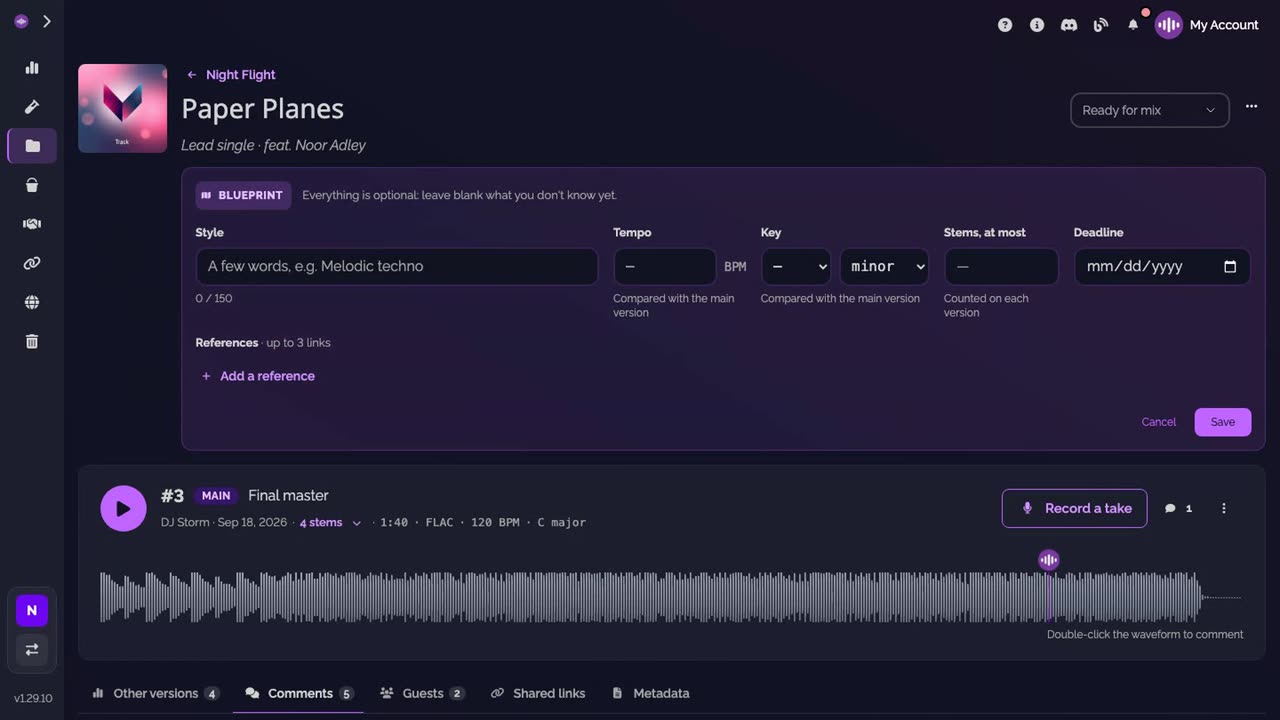
-
Fill it in. Give the Style in a few words, the Tempo, the Key (note and mode), the most stems a version should have (Stems, at most) and a Deadline. Everything is optional.
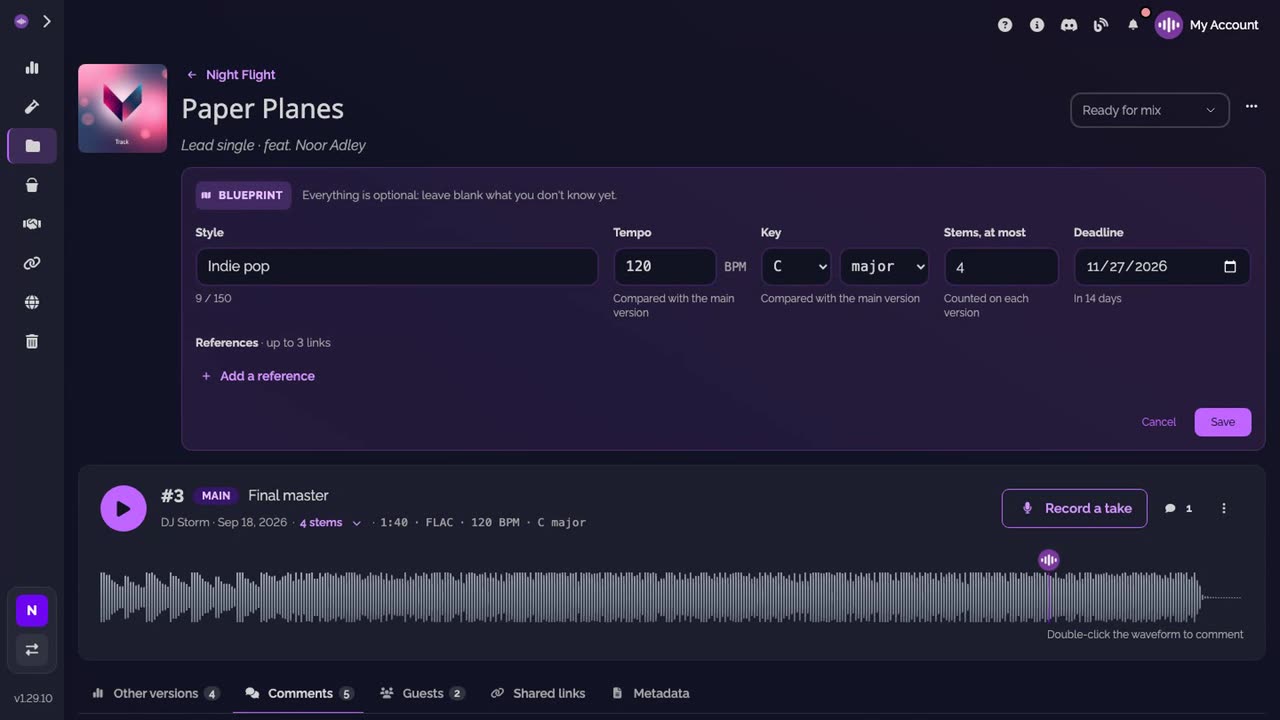
-
Add references. Click Add a reference and paste a link: a YouTube, Spotify or SoundCloud track, or any page. Up to three. Then click Save.
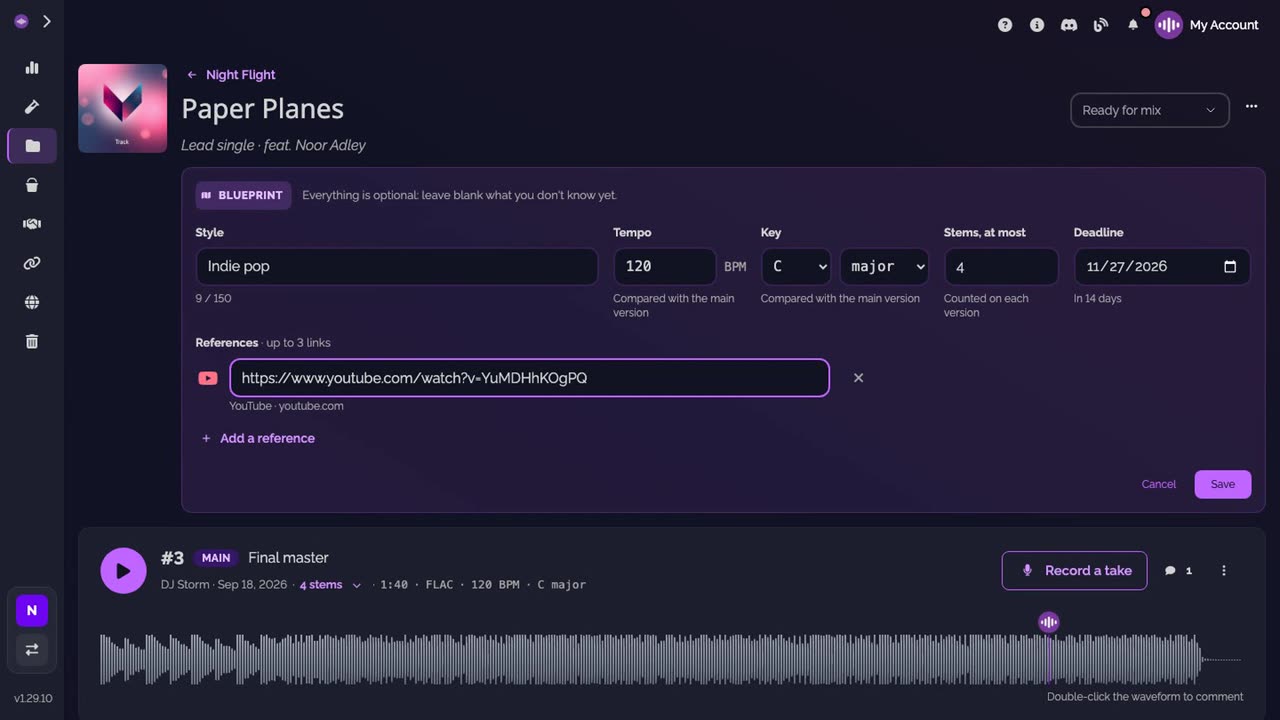
-
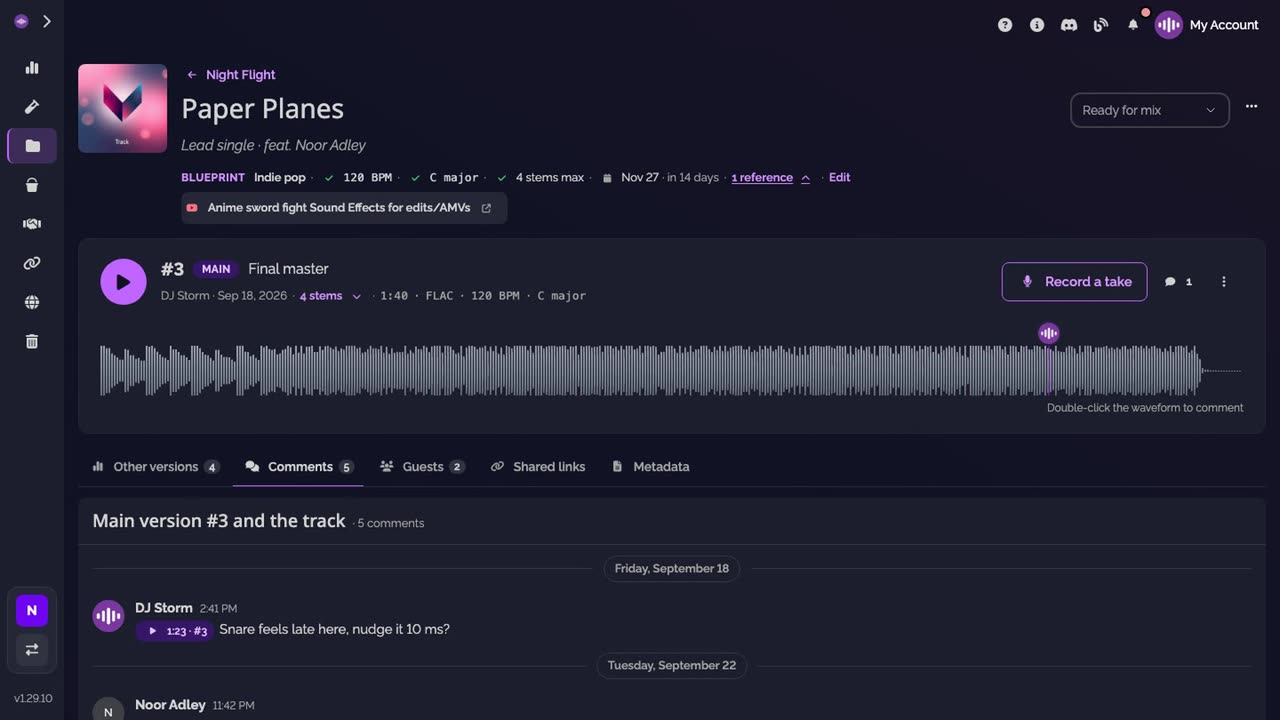
Checked against the main version. The blueprint now reads on one line under the track's name. Tempo, key and stems get a green check when the main version matches them; the deadline counts the days left.
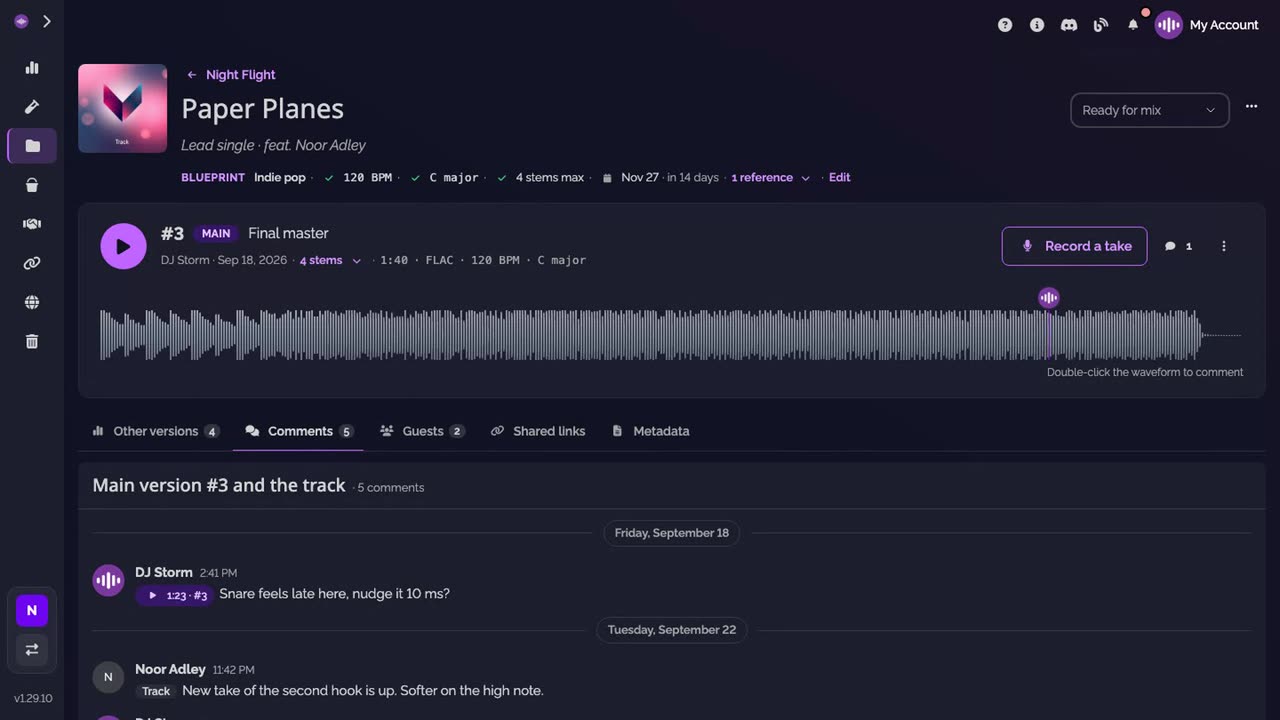
-
Open the references. Click the number of references to list them, with the titles read from their links.
Good to know
- To change the blueprint, click Edit at the end of its line.
- When the main version changes, the checks follow it: a new main version is compared with the same blueprint.
- The blueprint also has a place in the new track form, so a track can start with it.
Transcript
Here's how to set a track's blueprint, so everyone works toward the same song. Under the track's name, click Set blueprint. Give the style, the tempo, the key, the most stems a version should have, and a deadline. Add up to three references, a YouTube, Spotify or SoundCloud link. Save. The main version is checked against it, its tempo, key and stems. Only the owner and the admins can change it. Everyone on the track can read it.
FAQ
Who can set or change the blueprint?
The owner and the admins of the workspace. Everyone who can open the track can read it.
What is checked?
The main version's tempo, key and number of stems. A green check means they match the blueprint. Otherwise the main version's value shows next to it, for example now 118. A tempo at half or double speed counts as a match.
Can I set it when I create the track?
Yes. The new track form has an optional Blueprint section, the same fields.
Which links can be references?
Any link, up to three. For YouTube, Spotify and SoundCloud links, the title is read when you save, so the blueprint shows it instead of the address.
What happens when the deadline passes?
The blueprint says so, and Move it takes you straight to the date. Once the track is Completed, the deadline reads done.
Do I have to fill every field?
No. Everything is optional. Leave blank what you don't know yet.