Read a link's views, plays and full listens, and delete it
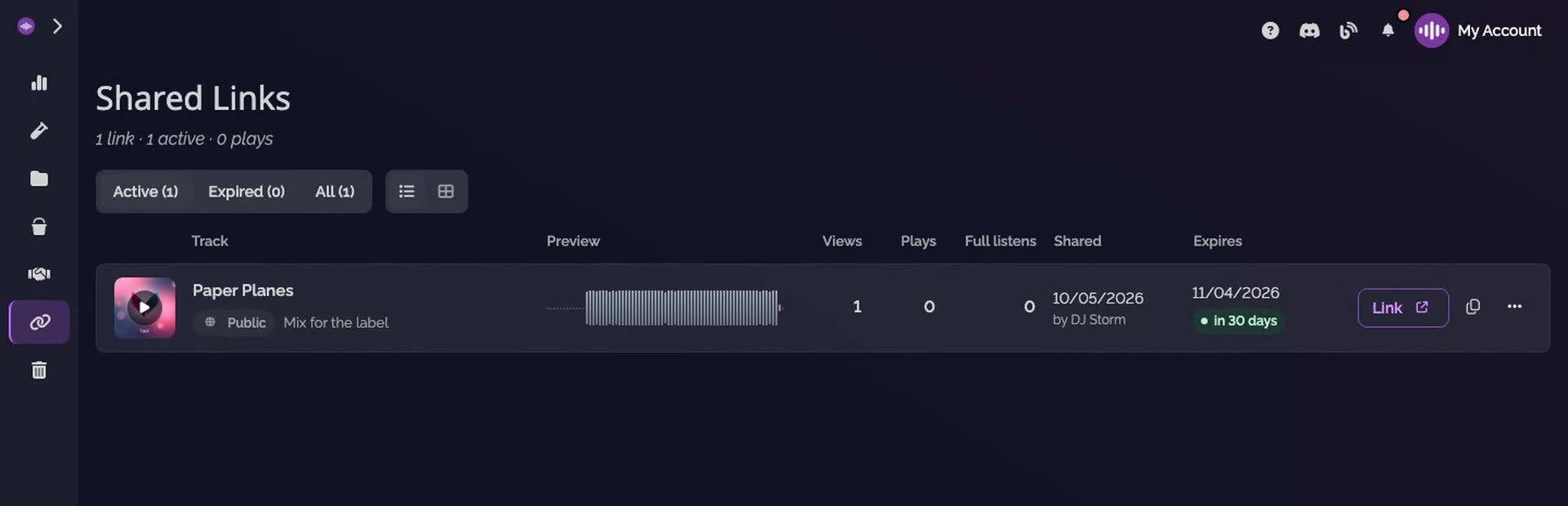
The Shared Links page of SoundisiaK Studio lists every link of the workspace, the active ones first. Each link shows the track it shares, its name, whether it is protected, when it expires, and three counters: views, plays and full listens. When a link has done its job, you delete it, and its page goes offline.
What you need
Any plan, the Free plan included · a shared link
Steps
-
Open Shared Links. Click Shared Links in the sidebar. The page opens on the active links, with the filters Active, Expired and All.
-
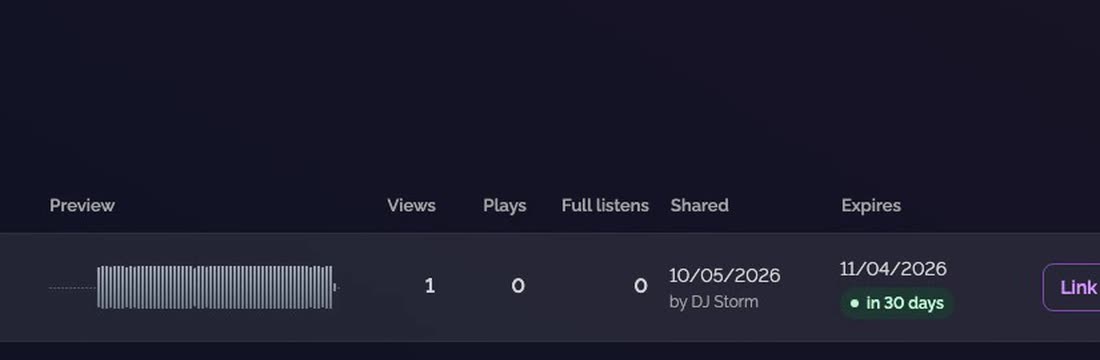
Read its counters. Each link shows its track, its name, whether it is public or protected, and when it expires. The Views, Plays and Full listens columns tell you what happened since you sent it.
-
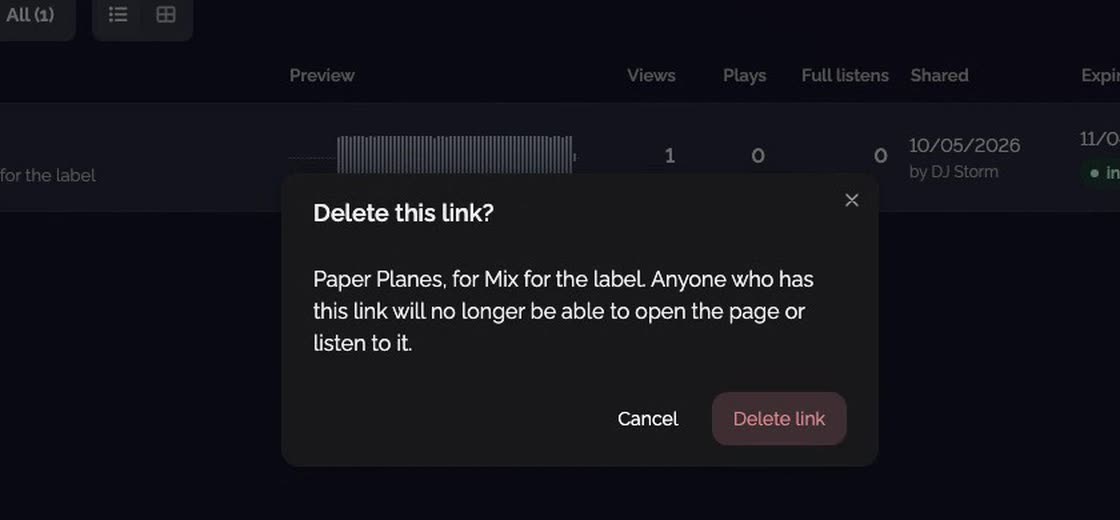
Delete it. Open the link's menu and choose Delete. The app asks you to confirm: click Delete link.
Good to know
- A link expires 30 days after its creation; deleting it ends it sooner.
- On a desktop, the page shows the links as a list or as cards: two buttons next to the filters switch between them.
Transcript
Here's how to see if your shared link was listened to, and how to end it. Open Shared Links, in the sidebar. Every link of the workspace is here, the active ones first. Each link shows the track it shares, its name, whether it's protected, and when it expires. Its counters tell you what happened: views of the page, plays, and full listens, to the end. To end a link, open its menu and choose Delete. The app asks you to confirm. Once deleted, the link's page goes offline.
FAQ
What do views, plays and full listens count?
Views count the openings of the link's page, plays the times the audio was started, and full listens the times it was played to the end.
What happens when I delete a link?
Its page goes offline. Anyone who has the link can no longer open the page or listen to it. The app asks you to confirm first.
Where are the expired links?
Under the Expired filter of the Shared Links page. All lists every link, active or expired.