Listen to a track stem by stem in your browser
When a version of a track has stems, SoundisiaK Studio lists them under the version, one strip per stem. Play the version from any point of its waveform, then solo a stem to hear it alone, mute one to hear the mix without it, or lower its level, right in the browser, without a download and without opening a DAW.
What you need
Any plan, the Free plan included · a version uploaded with its stems · access to the track (member of the workspace, or collaborator on the track)
Steps
-
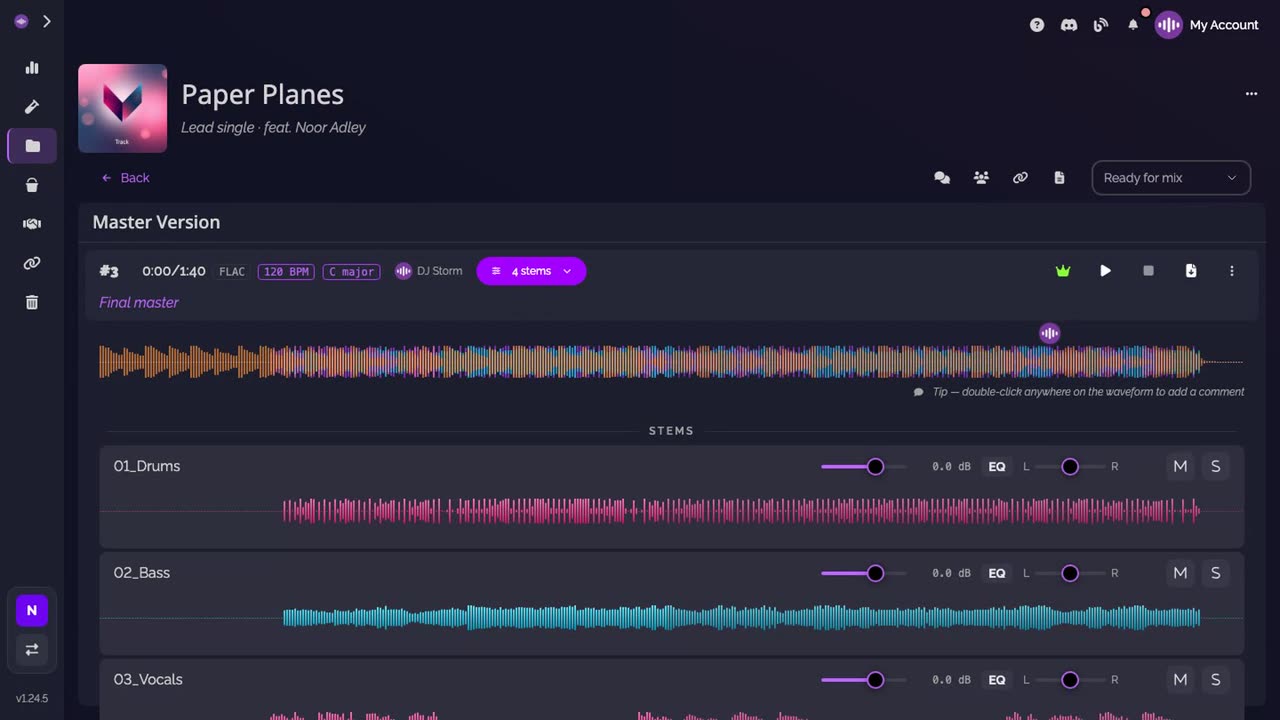
Open the stems. On the track page, click the stems button of the version. Each stem gets its own strip, with its level, EQ, balance, mute and solo.
-
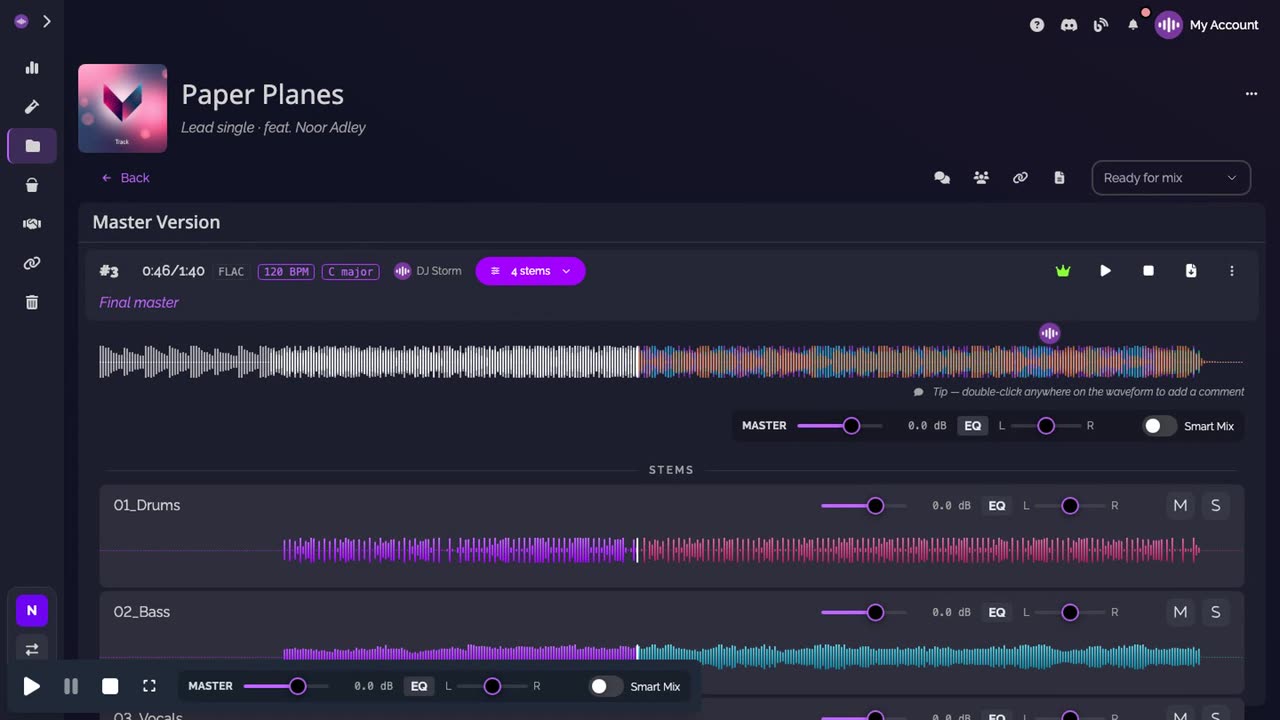
Play from any point. Click the waveform where you want to listen from.
-
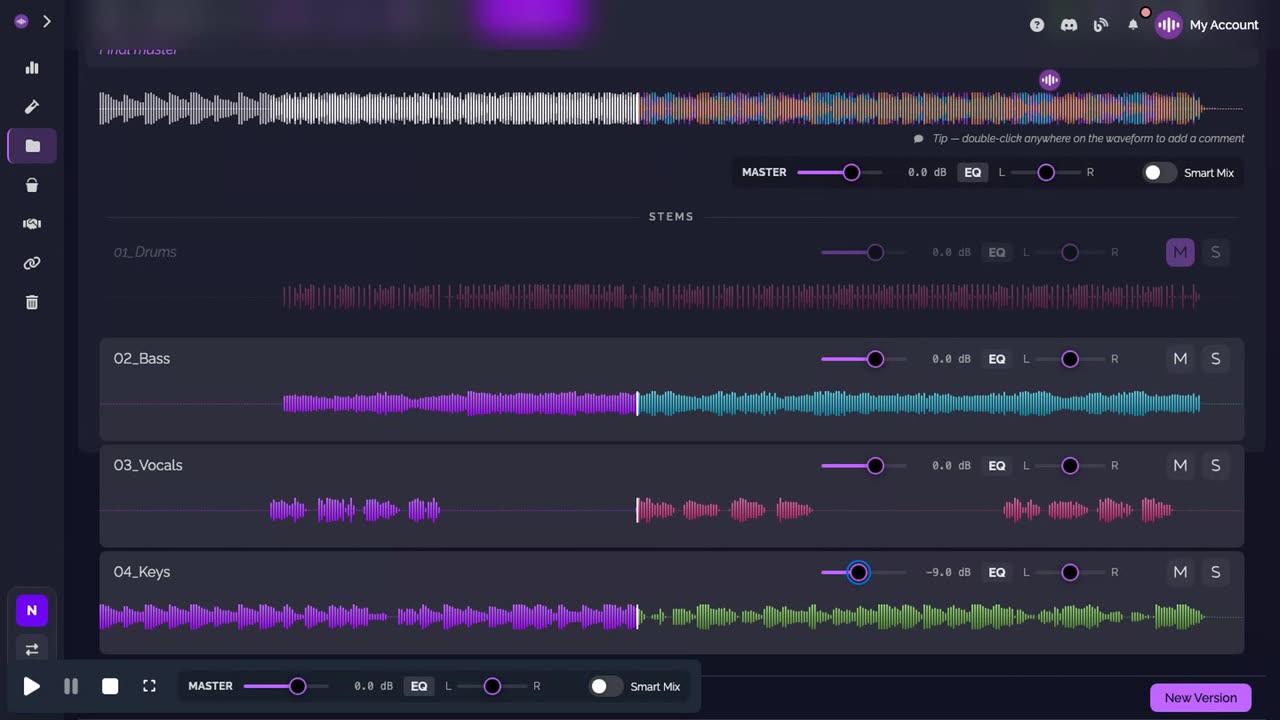
Solo, mute, set a level. Solo a stem to hear it alone, mute one to hear the mix without it, or drag its fader to lower its level.
Good to know
- The levels you set change what you hear, never the version's files.
- Each strip also has an EQ and a balance, and the player has a Smart Mix switch.
Transcript
Here's how to listen to a track stem by stem, right in your browser. Open the track, then click the stems of the version. Each stem gets its own strip, with its level, EQ, balance, mute and solo. Click the waveform where you want to listen from. Solo a stem to hear it alone. Mute one to hear the mix without it. Drag a fader to lower its level. No download and no DAW needed.
FAQ
Do I need to download the stems to listen to them?
No. The stems play in the browser, from the version's page, without a download and without a DAW.
What can I do on each stem?
Each stem has its own strip, with its level, an EQ, its balance, and mute and solo buttons.
Where are the stems?
Under the version they belong to. Click the stems button of the version to unfold them, one strip per stem.