Leave a timestamped comment on the waveform and follow the thread
In SoundisiaK Studio, a comment can be pinned to a precise second of a version: it sits as a marker on the waveform, with its author and its time. Double-click the waveform to add yours exactly where it matters. Every comment of the track, the pinned ones included, is also in the track's Comments pane, as one thread.
What you need
Any plan, the Free plan included · a track with at least one version · access to the track (member of the workspace, or collaborator on the track)
Steps
-
Read a comment on the waveform. Each marker on the waveform is a comment. Hover it to see who wrote it; click it to read the note, with its time and its author.
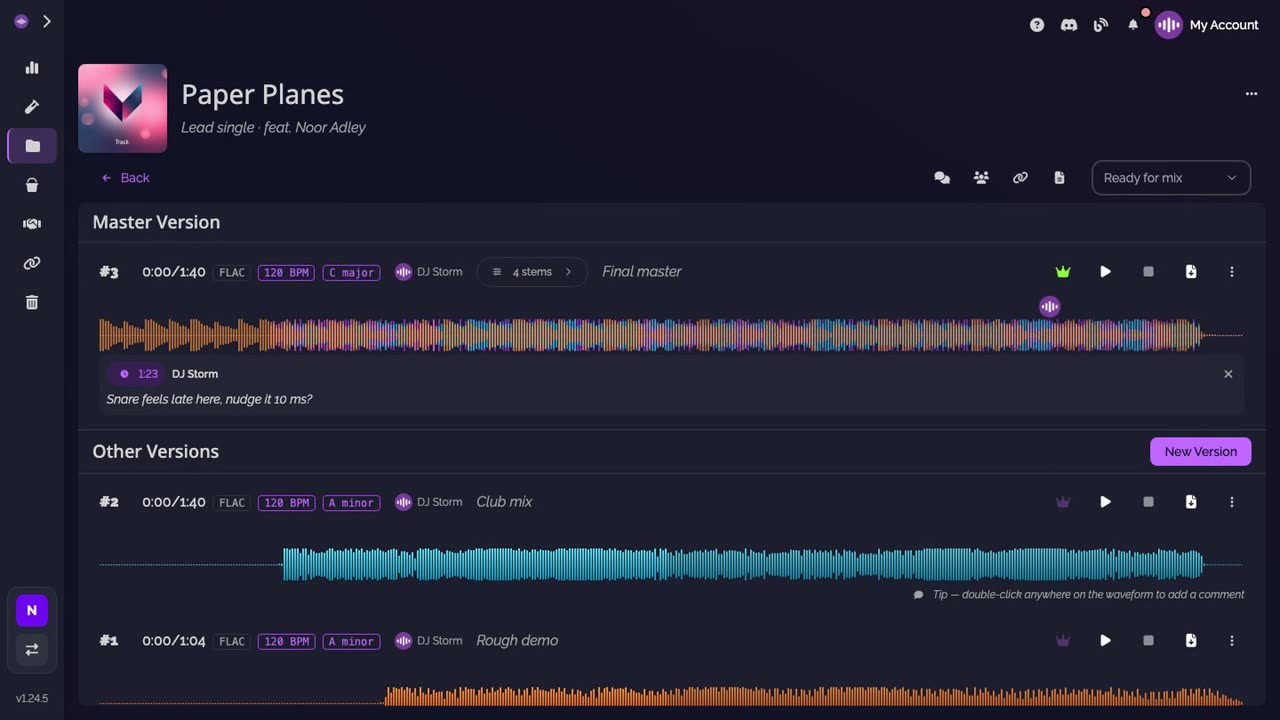
-
Add yours at the exact moment. Double-click the waveform where you want your note. The comment box shows the time you clicked. Type your note, then click Add: your marker appears where you clicked.
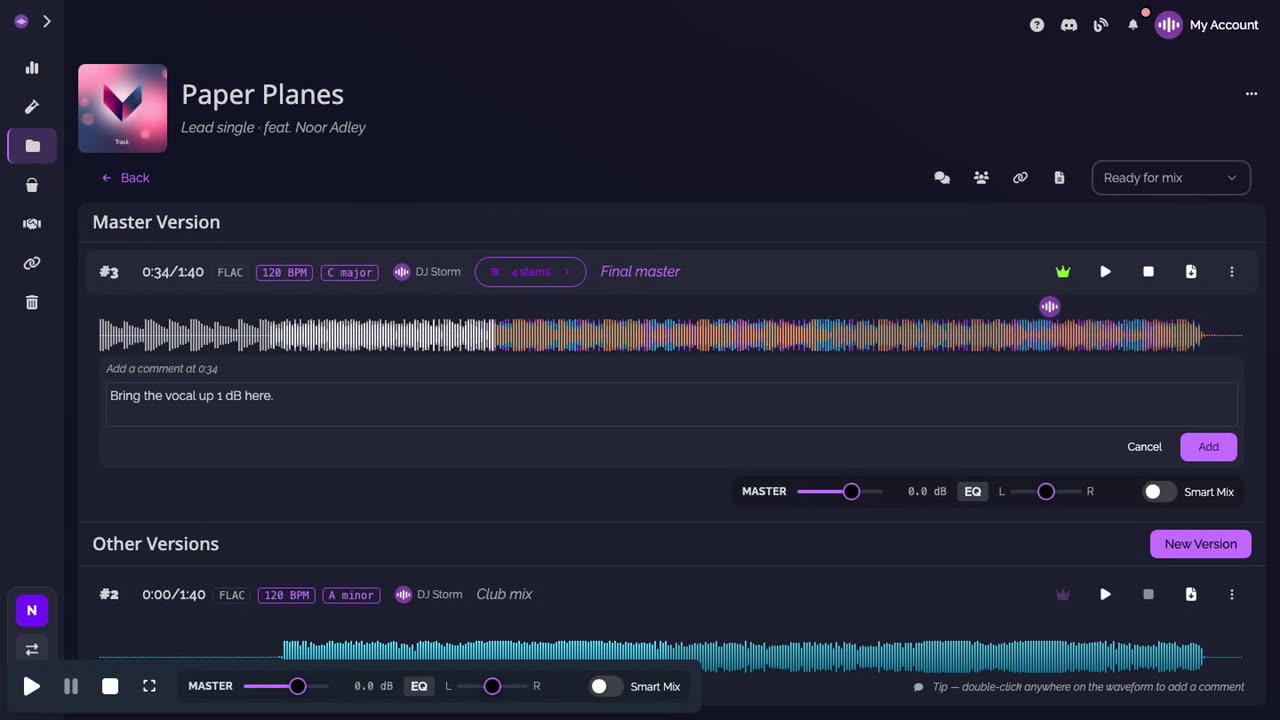
-
Follow the thread. Open Comments, in the track's action bar. Every note of the track is there, in one thread, the ones on the waveform with their time.
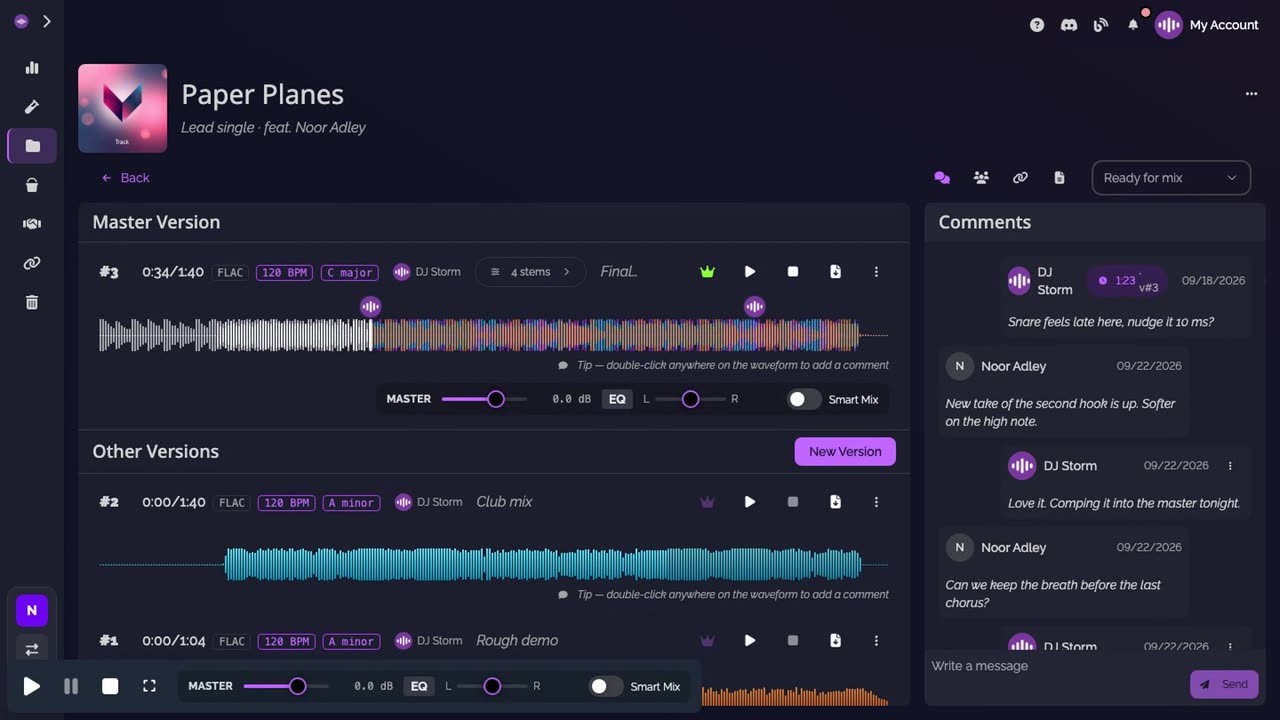
Good to know
- A pinned comment belongs to the version it was posted on: each version keeps its own markers.
- The Comments pane gathers the whole conversation of the track, pinned notes and general messages alike.
Transcript
Here's how to leave a comment at an exact moment of a track, and follow the conversation. Each marker on the waveform is a comment, pinned to a precise second. Hover it to see who wrote it. Click it to read the note: the time, the author and the text. To add yours, double-click the waveform where you want it. The comment box shows that exact time. Type your note, then click Add. Your marker appears where you clicked. Open Comments. Every note on the track is in one thread, the ones on the waveform included, with their time. Everyone on the track follows the same conversation.
FAQ
How do I add a comment at a precise moment?
Double-click the waveform of the version where you want it. The comment box shows the time you clicked; type your note and click Add.
Where do I see every comment of a track?
In the track's Comments pane. It lists every comment of the track, the ones pinned to the waveform included, each with its time.
Who can read the comments?
Everyone who can open the track, members of the workspace and collaborators invited to that track alike.