Credit a guest artist without giving them access
A guest artist is someone you credit who isn't on SoundisiaK Studio: a featured voice, a session player, a co-writer. Create their card once on External Collaborators, then credit them on any track from its Metadata & Credits panel. They are credited on the track and in the release exports, and never get access to your workspace.
What you need
Any plan, the Free plan included · the artist's name and legal name · owner or admin of the workspace
Steps
-
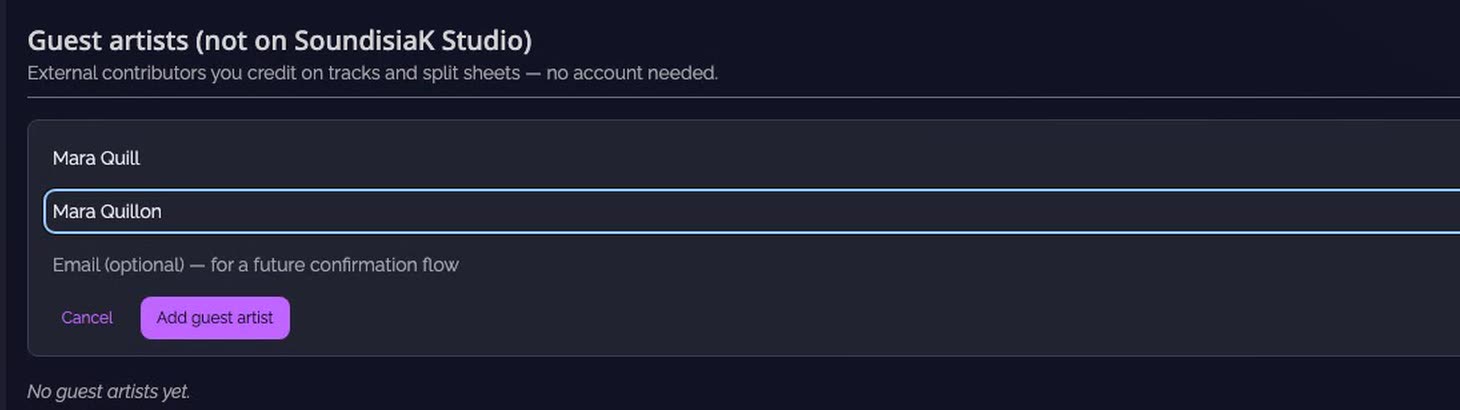
Add a guest artist. On External Collaborators, click Add guest artist under Guest artists (not on SoundisiaK Studio). Type the name they release under, then their legal name, which songwriter credits need. The email is optional. Click Add guest artist.
-
Their card is ready. It is listed under Guest artists, not credited on any track yet.

-
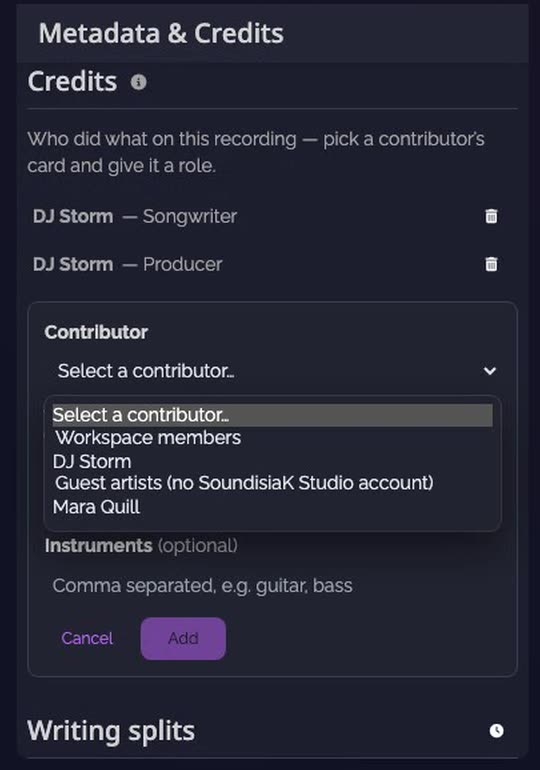
Credit them on the track. On the track page, open Metadata & Credits, then click + (Add credit) next to Credits. Pick them under Guest artists (no SoundisiaK Studio account), choose their role, add their instruments if you like, and click Add.
-
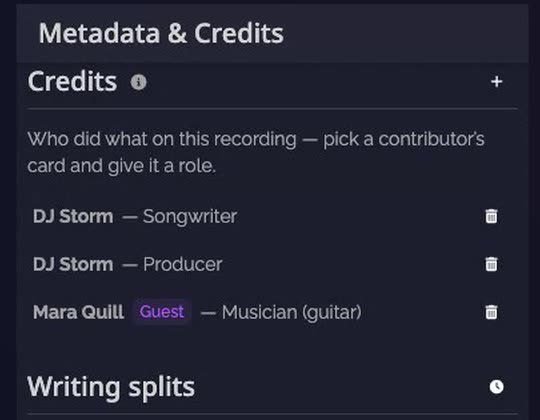
They're credited, tagged Guest. The credit is listed with the track's others. Credits feed the split sheet and the release exports.
-
See where they're credited. Back on External Collaborators, their card lists every track they're credited on, with their roles. Click a track to open it.

Good to know
- One card per person, credited on as many tracks as you need: their name is typed once.
- To remove a credit, click the bin next to it on the track. To delete a guest artist, use the bin on their card.
Transcript
Here's how to credit a guest artist who isn't on SoundisiaK Studio, without giving them any access. Open External Collaborators. Guest artists are the people you credit without an account. Click Add guest artist. Type the name they release under, then their legal name. The email is optional. Their card is ready, not credited on any track yet. Now open the track, then Metadata and Credits. Click Add credit. Pick them under Guest artists, choose their role, and add. They're credited, tagged Guest. Credits feed the split sheet and the release exports. Back on External Collaborators, their card lists every track they're credited on. And they never get access to your workspace.
FAQ
Does a guest artist need an account?
No. A guest artist is a card in your workspace, with their artist name and legal name. They are credited on your tracks and never get access to your workspace.
What is the difference with a collaborator?
A collaborator has a SoundisiaK Studio account and works with you on the tracks they are invited to. A guest artist only exists as a card you credit, for the people who don't use the app.
Can a guest artist get a share of the writing splits?
Yes. Credit them as songwriter, lyricist or composer, and they get a line in the track's Writing splits.
Where do I add their ISNI, IPI or PRO?
On External Collaborators, expand their card. It holds their identity, rights society (IPI / CAE, PRO, publisher) and platform IDs (Spotify, Apple Music).