Share a track with a password-protected link
In SoundisiaK Studio, you share a track with a link: you choose the version, you give the link a name to find it again, and you can protect it with a password. Your recipient opens it in the browser, without an account. Anyone with the link can listen to and download the audio, and the link expires after 30 days.
What you need
Any plan, the Free plan included · a track with a version whose files are ready
Steps
-
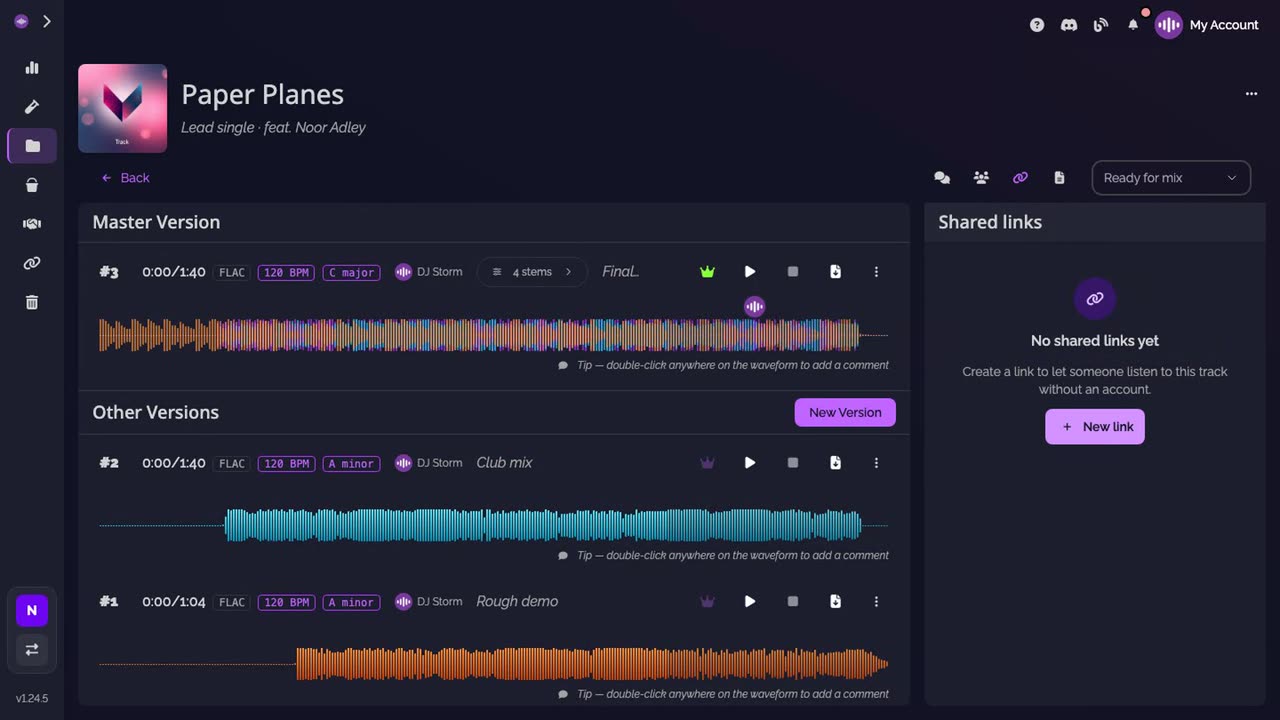
Open Shared links. On the track page, open Shared links in the action bar, then click New link.
-
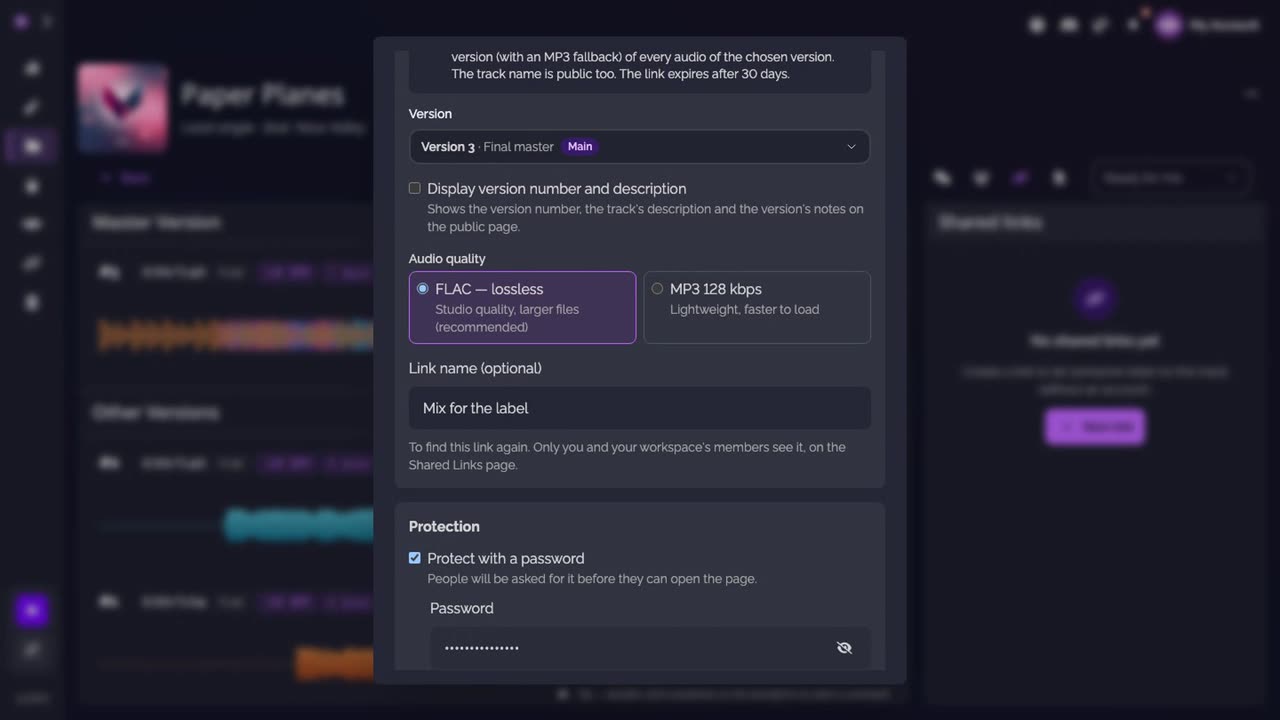
Set up the link. Choose the version to share (the main version is selected by default). Read the information line: anyone with the link can listen to and download the audio, and the link expires after 30 days. Give the link a name, turn on Protect with a password, choose the password, then click Create protected link.
-
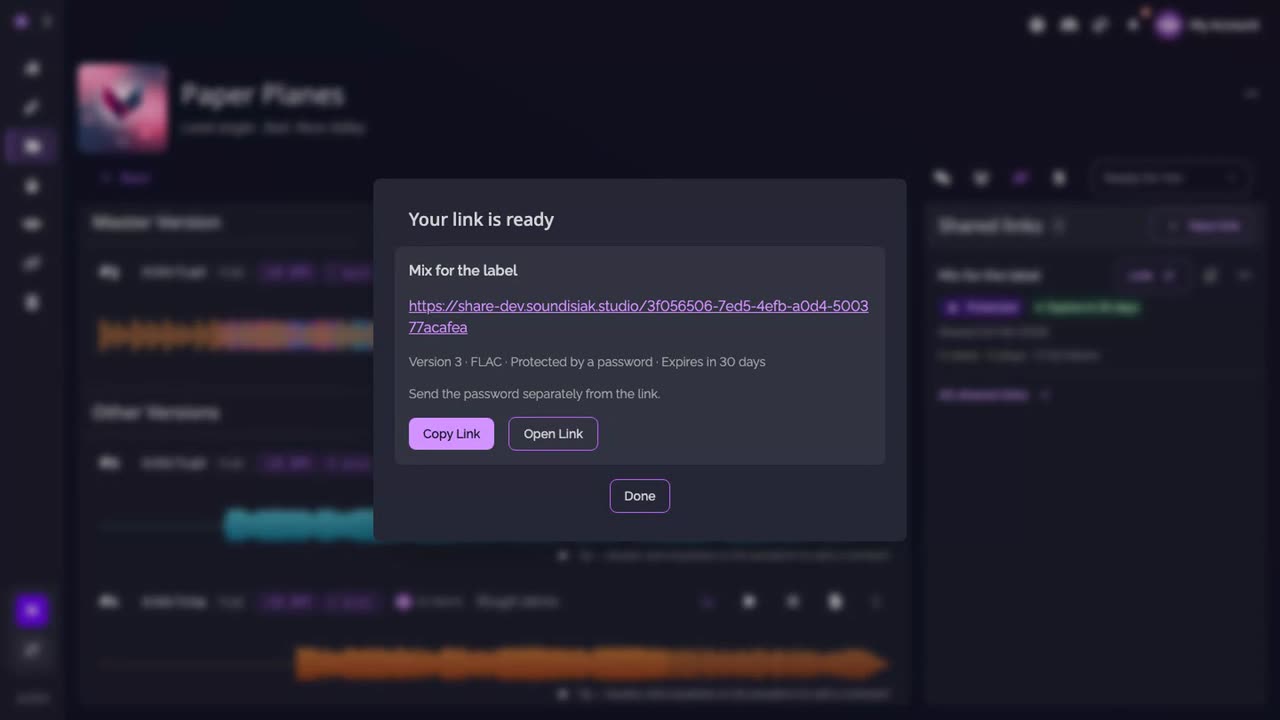
Send it. Copy the link, and send the password separately from the link.
-
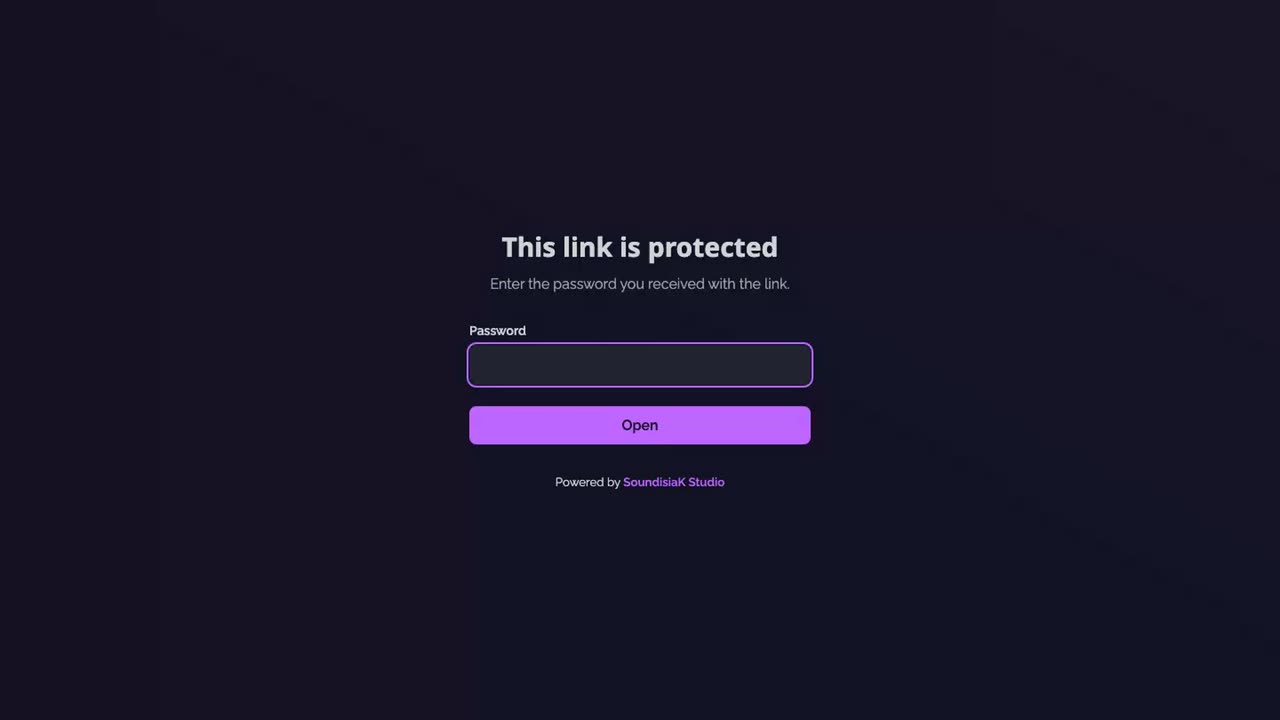
What your recipient sees. A page that asks for the password, then the track, in the browser.
Good to know
- The track name is always public on the link's page. The version number and the descriptions show only if you tick Display version number and description.
- Choose FLAC for lossless audio (with an MP3 fallback), or MP3 128 kbps for a lighter page.
- Every link of the workspace is on the Shared Links page, with its views, plays and full listens.
Transcript
Here's how to share a track with a link protected by a password. Open the track, then Shared links, and click New link. Choose the version to share. The main version is selected by default. As the form says, anyone with the link can listen to and download the audio, and the link expires after 30 days. Give the link a name, to find it again later. Turn on Protect with a password, and choose the password. Then click Create protected link. Copy the link, and send the password separately. Your recipient enters the password, then listens in the browser, without an account. The link now appears in Shared links, where you can delete it at any time.
FAQ
Does the recipient need an account?
No. They open the link, enter the password if the link has one, and listen in the browser.
Can the recipient download the audio?
Yes. As the share form says, anyone with the link can listen to and download the audio of the chosen version, in lossless FLAC (with an MP3 fallback) or in MP3. Share a link only with people you would send the files to.
How long does a link last?
30 days from its creation. You can delete it before, at any time, from Shared links.
Which version does the link share?
The one you choose in the share form. The main version is selected by default.