Let a guest add their own version of your track
A guest you invited on a track, your mixer for instance, adds their versions to it from their own workspace: their stems and a word on what changed. Their version joins your track, numbered like every other, with their name. No file sent by transfer, no mix lost in a chat: you find it under Other versions, next to yours.
What you need
Any plan, the Free plan included · a guest invited on the track (Invite a collaborator to a single track)
Steps
-
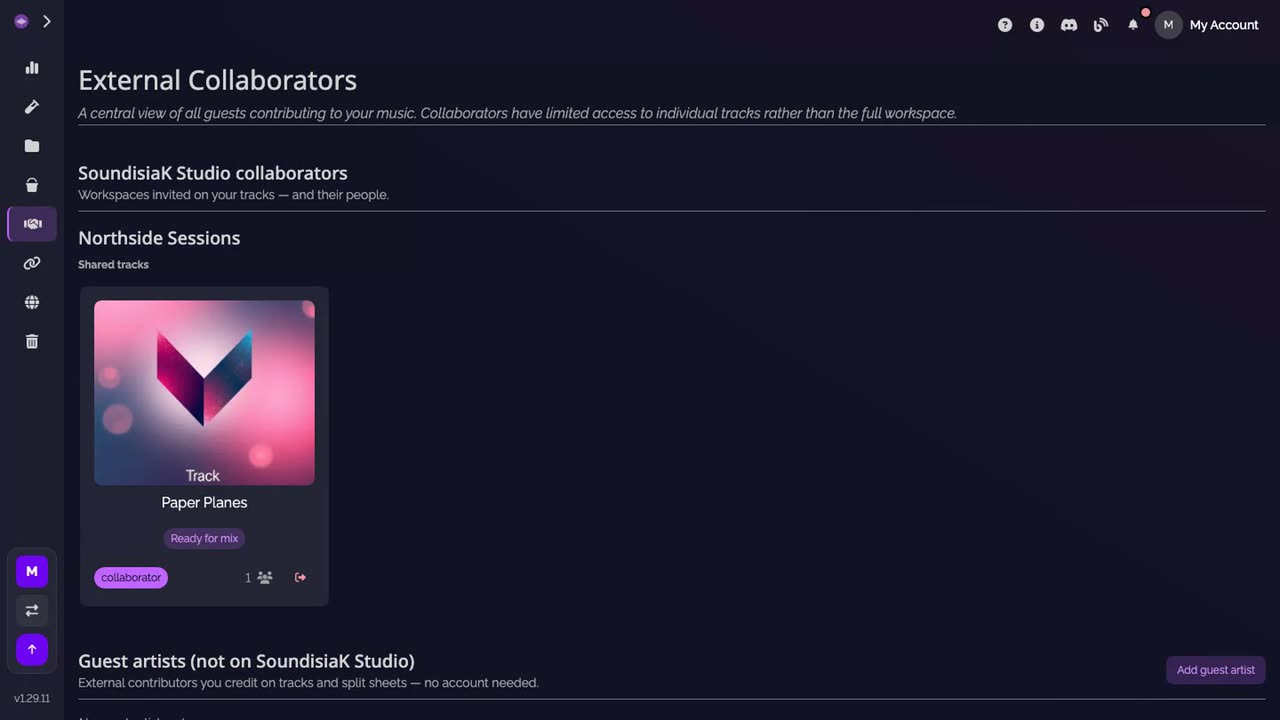
Open the shared track. In their own workspace, your guest opens External Collaborators. Your workspace is listed there with the tracks it shares with them; they click the track.
-
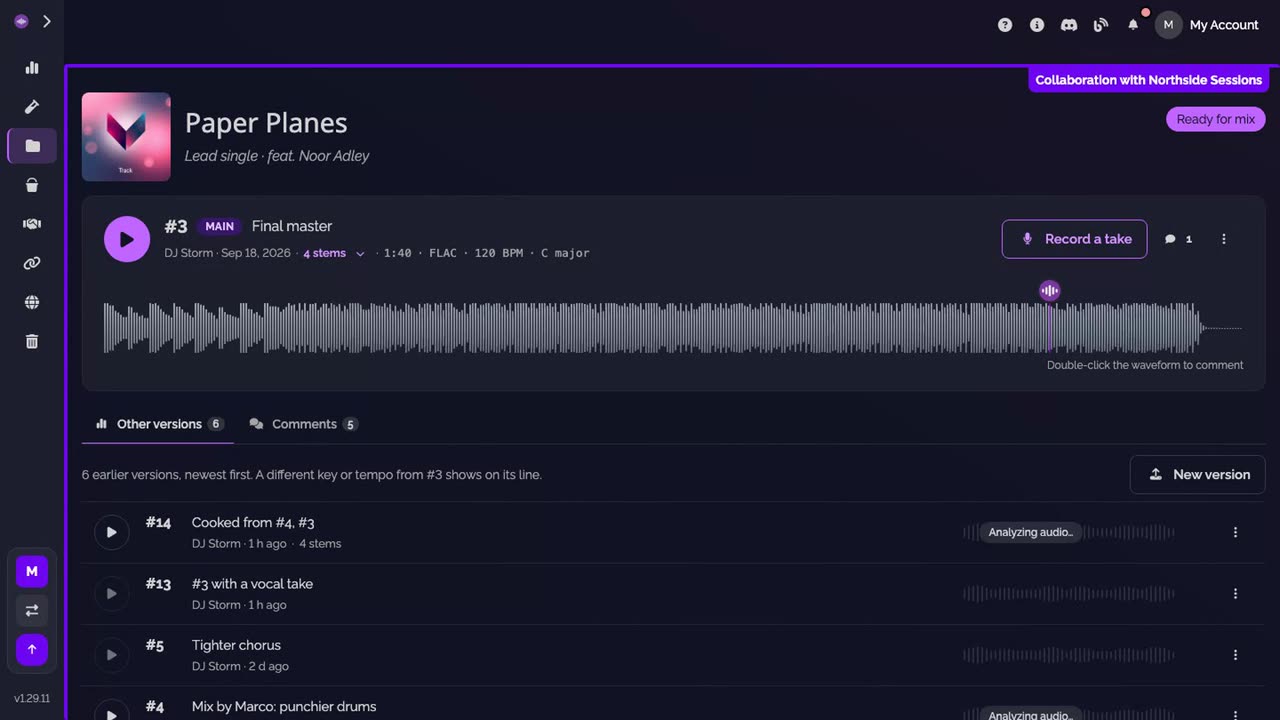
Click New version. The track opens with a frame that says whose it is. Under Other versions, they click New version.
-
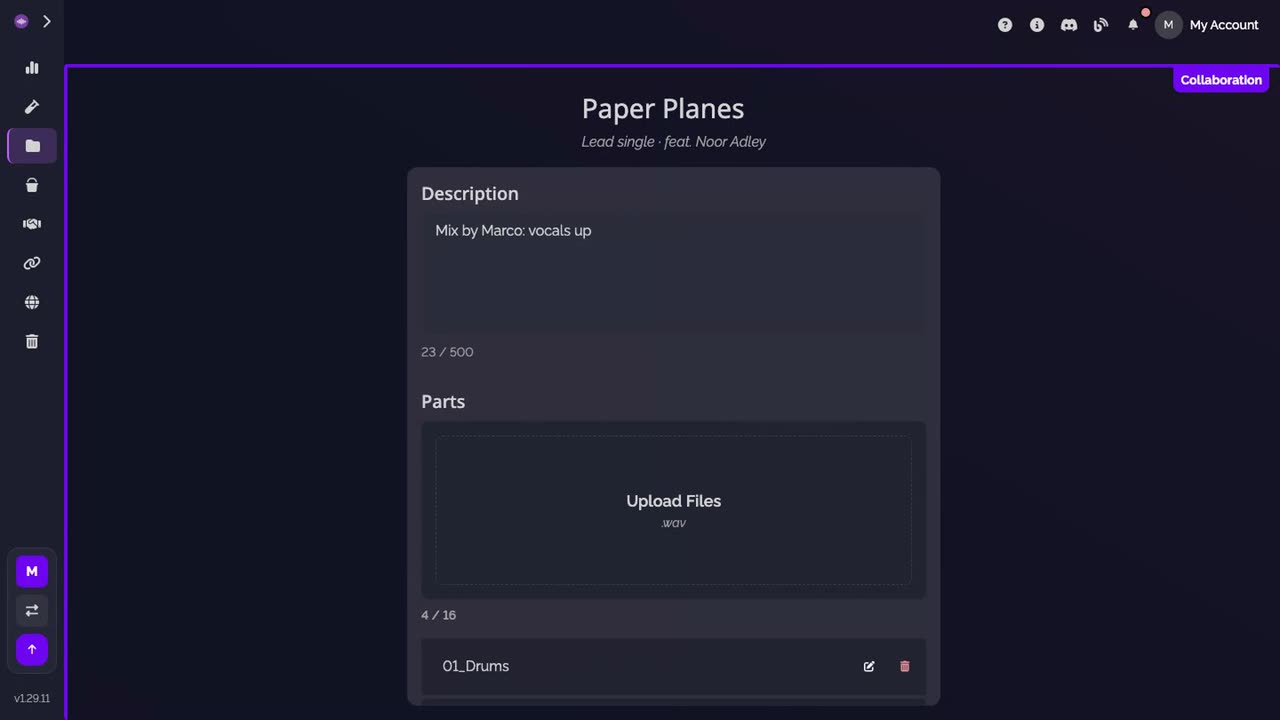
Say what changed. In Description, a few words on this version, then they drop their stems on Upload Files, up to 16.
-
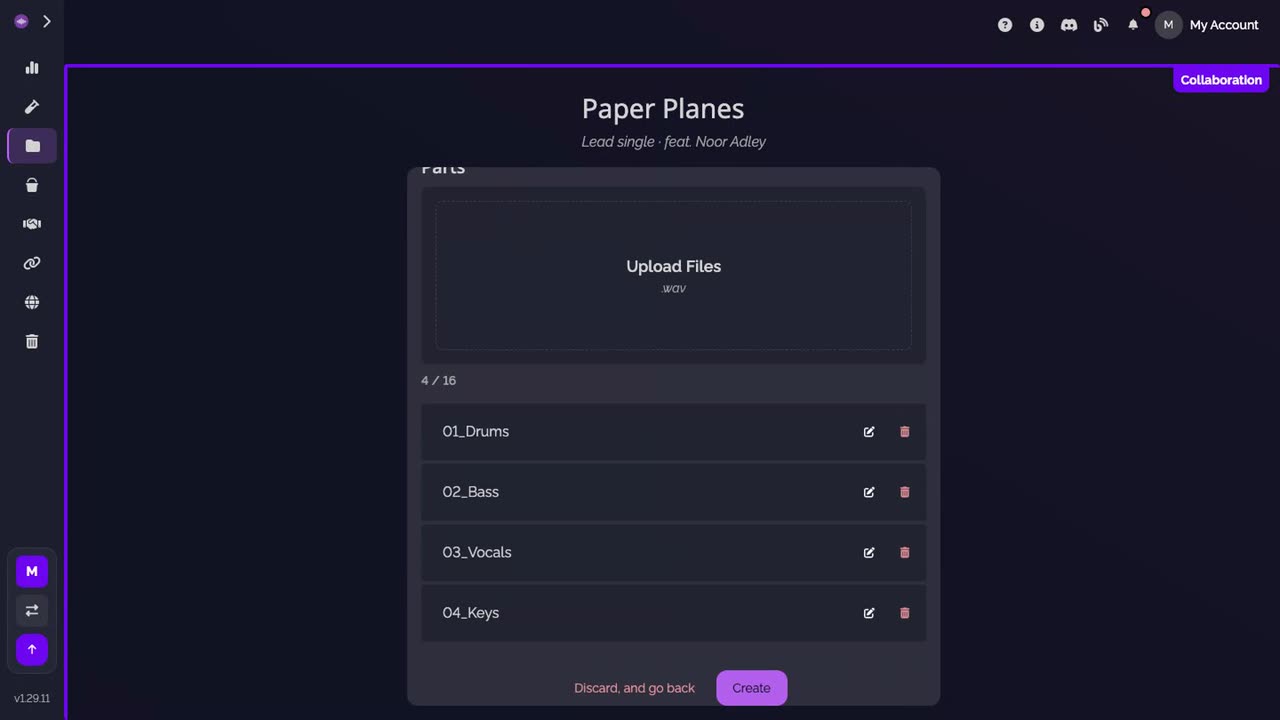
Create. The stems are listed under Parts. They click Create.
-
Their version joins the track. It is listed under Other versions, numbered like every other, with their name. Its key and tempo show once the audio is analyzed.
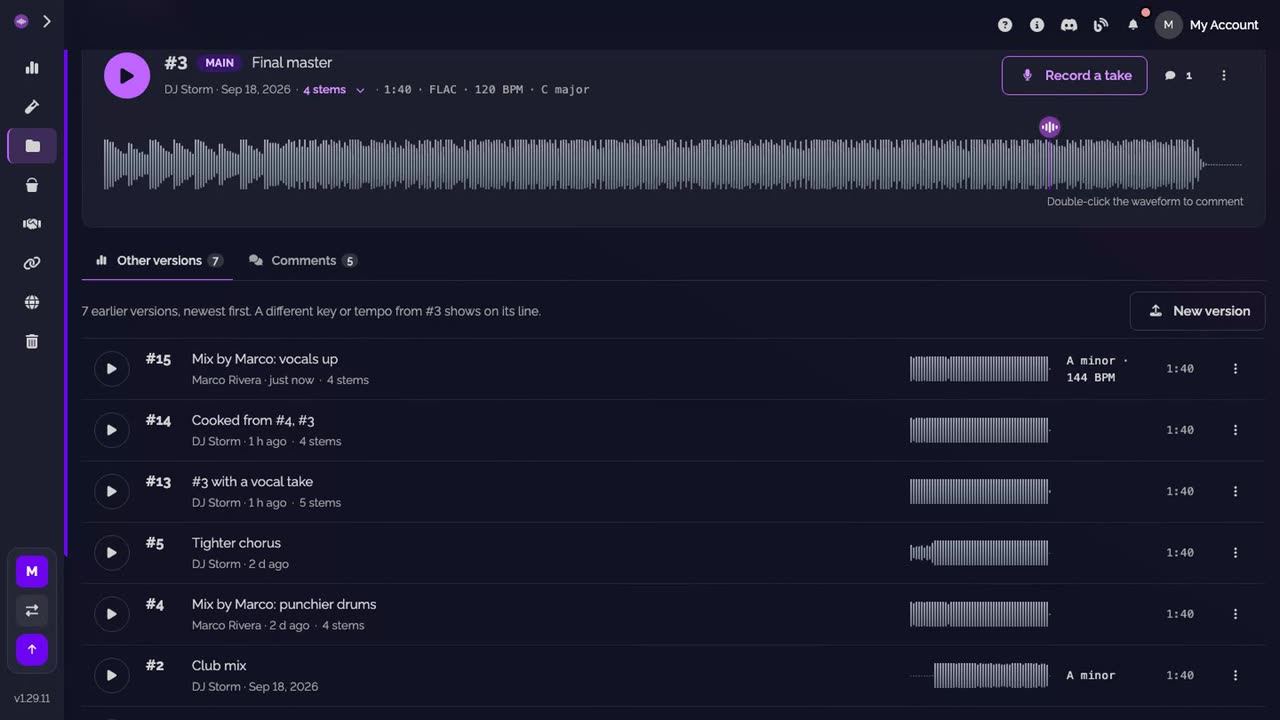
-
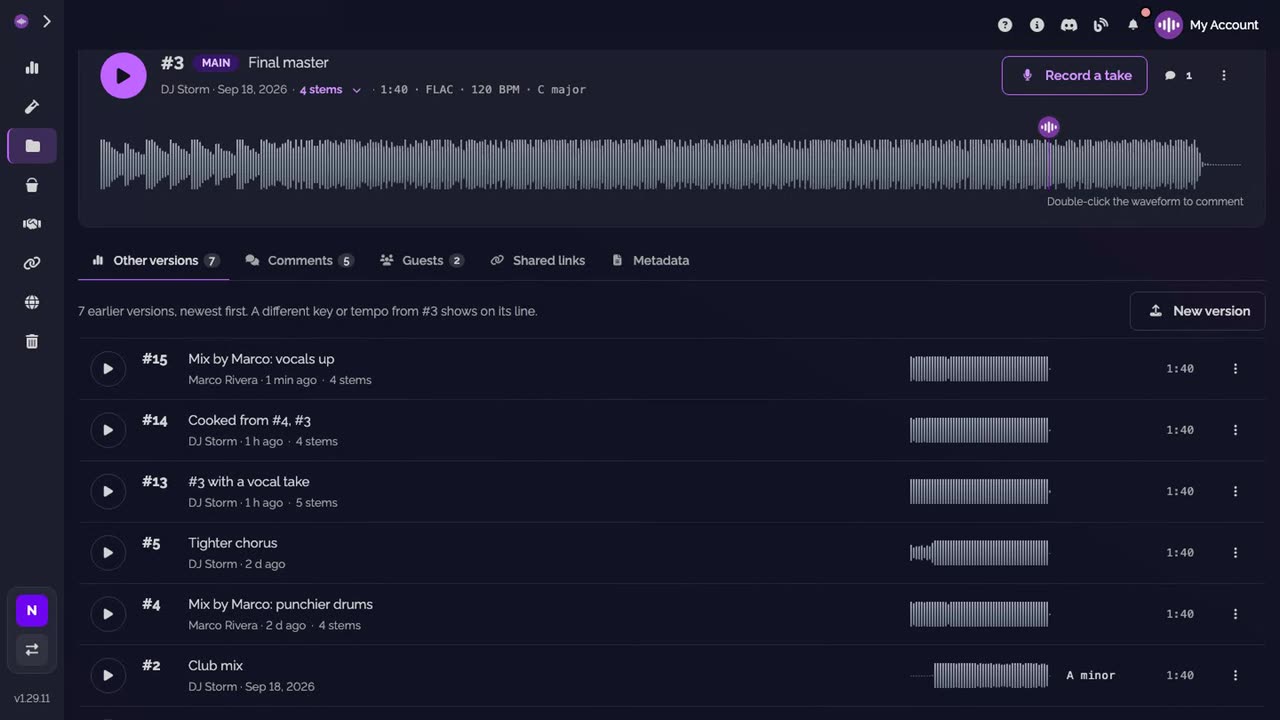
On your side. In your workspace, the track lists it under Other versions too, with their name. Listen to it, comment on it, and if it's the one, set it as the main version.
Good to know
- On the track, your guest sees its versions and its comments. They can comment, record a take and cook up a version. The Guests, Shared links and Metadata sections stay yours.
- Setting the main version, editing a version's description and deleting a version are for the owner and the admins of your workspace, your guest's versions included.
- Your guest sees the tracks they are invited on, never the rest of your workspace.
Transcript
Here's how a guest you invited on a track, like your mixer, adds their own version of it. Your guest finds your track under External Collaborators, in their own workspace. Under Other versions, they click New version, drop their stems and say what changed. Their version joins the track, numbered like every other. On your side, it's there under Other versions, with their name. Your guest sees this track only, never the rest of your workspace.
FAQ
Does my guest need a paid plan?
No. A free account is enough. Guests on a track are free and unlimited on every plan, the Free plan included.
Can my guest make their version the main one?
No. Only the owner and the admins of your workspace set the main version. Once one is set, their version waits under Other versions until you choose it. On a track where no main version was ever set, the newest version shows as the main one, theirs included.
Can my guest change or delete their version afterwards?
No. Once it is created, only the owner and the admins of your workspace edit its description or delete it.
Whose storage does their version use?
Yours. The version belongs to your track, so its files count in your workspace's storage.
Can my guest see my other tracks?
No. They see the tracks they are invited on, and nothing else of your workspace.