Review a mix on your phone
The new mix lands while you're out. Open the track on your phone, listen, skip around, solo a stem, and when you hear something, touch and hold the waveform right there: your note is pinned to that second, for everyone on the track.
What you need
Any plan, the Free plan included · a phone with a browser · member of the workspace or guest on the track
Steps
-
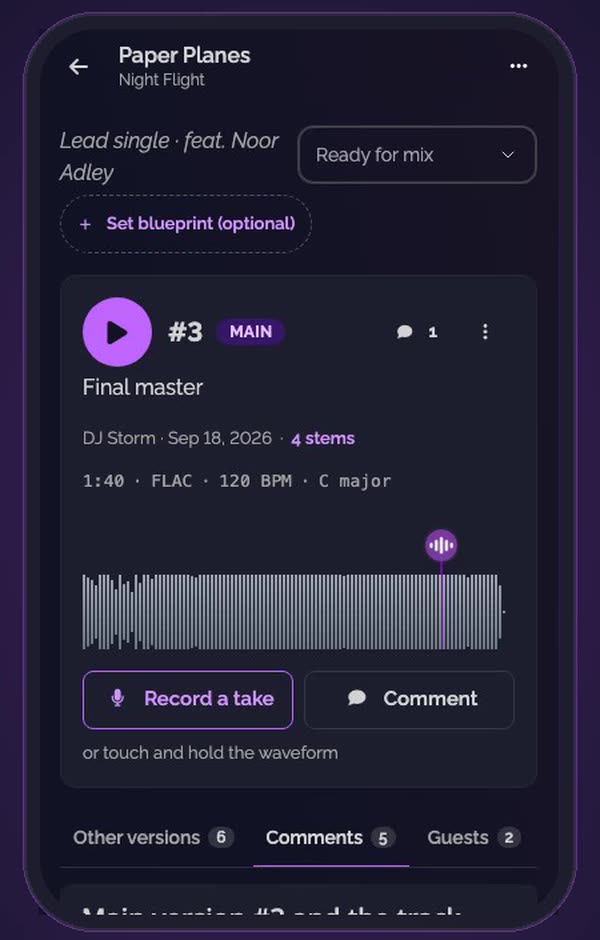
Open the track. Its main version is on top, with its waveform and its comments.
-
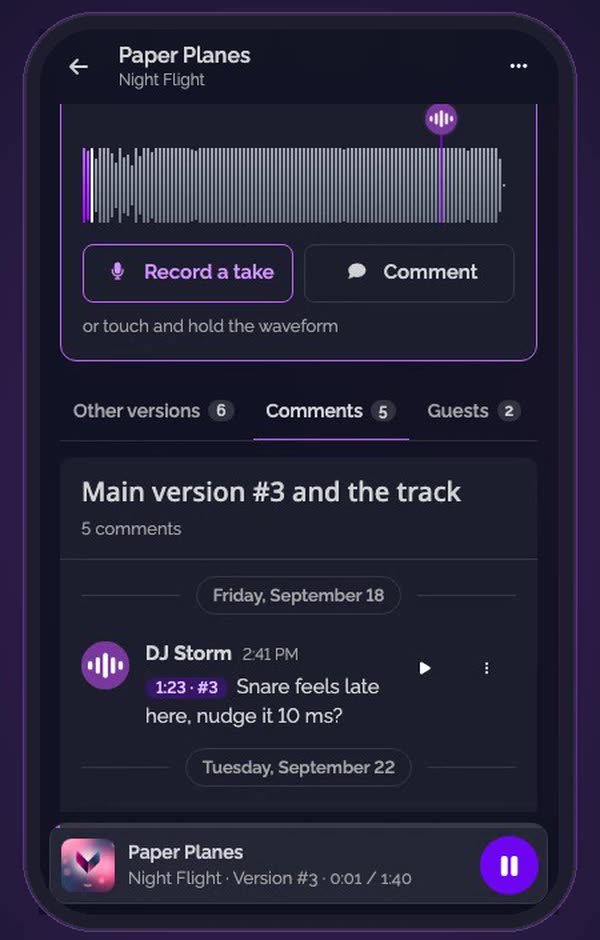
Tap play. The player bar stays at the bottom of the screen while you scroll.
-
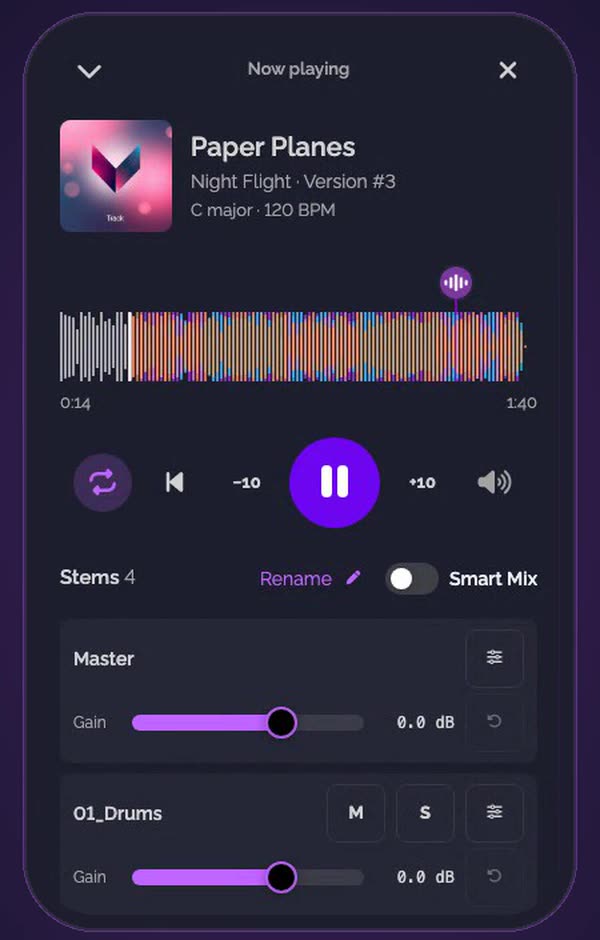
Open the player. Tap the bar: the full-screen player skips 10 seconds back or forward, and goes back to the start.
-
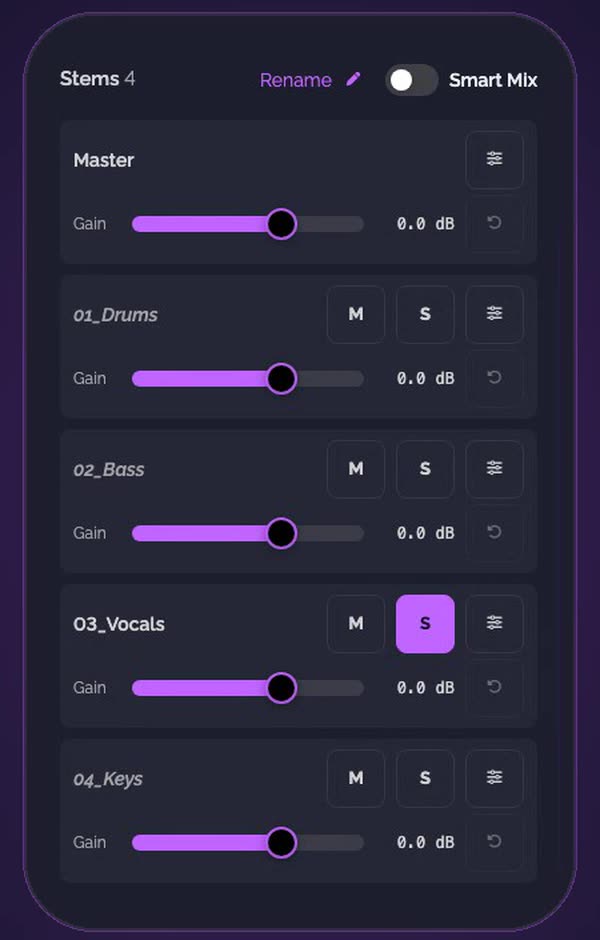
Listen to one stem alone. Below it, each stem has M to mute it and S to hear it alone. Tap ⌄ to bring the player back down to its bar.
-
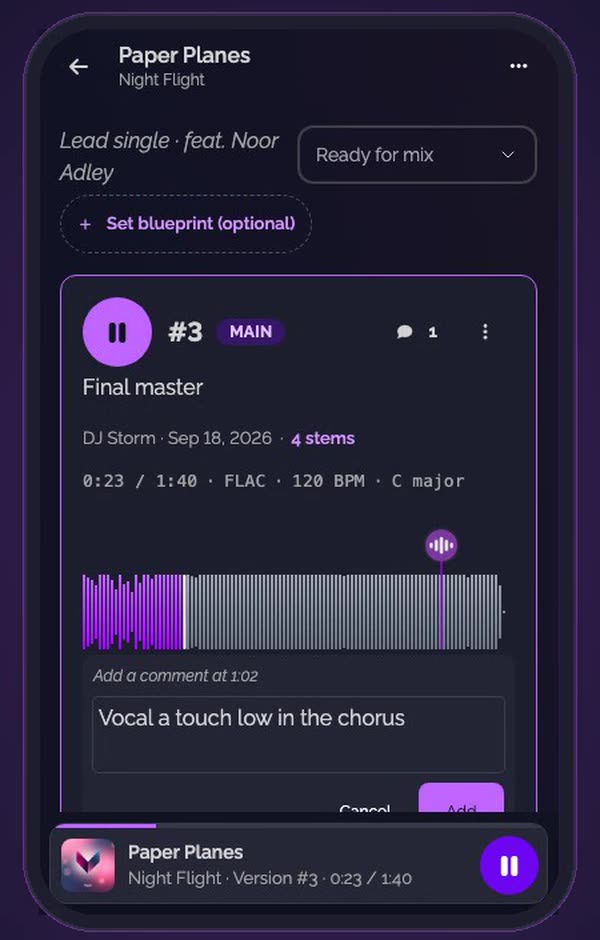
Touch and hold the waveform where it happens. A comment opens at that second. Write your note and tap Add.
-
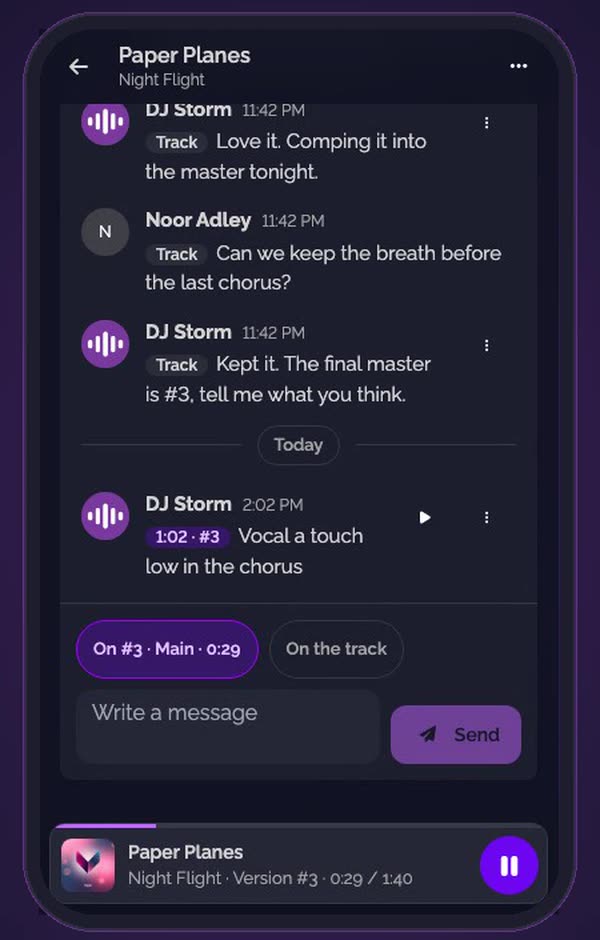
It's on the track. Your comment is listed under Comments, with its second and its version.
-
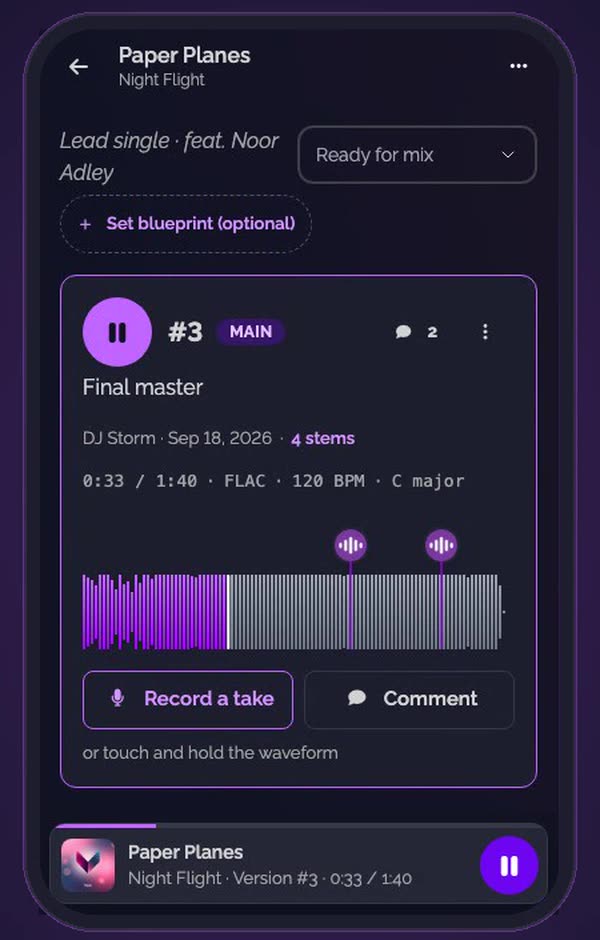
Pinned to its second. A marker shows it on the waveform, next to the others.
Good to know
- On a tablet, it works the same way: touch and hold the waveform.
- To hear a comment's moment again, tap ▶ on its line in Comments.
- To answer with your voice rather than words, record a take over the version.
Transcript
Here's how to review a mix from your phone, wherever you listen. Open the track. Its main version is on top. Tap play. The player stays at the bottom while you scroll. Open it full screen to skip ten seconds, or listen to one stem alone. Heard something? Touch and hold the waveform where it happens, and write your note. Your comment is pinned to that second, on the track. Everyone on the track sees it, on their phone or their computer.
FAQ
Is there an app to install?
No. SoundisiaK Studio runs in your phone's browser. Sign in and open your track as on a computer.
Can I comment without touching the waveform?
Yes. Comment, under the waveform, adds a comment at the moment that is playing.
Who sees my comment?
Everyone who can open the track, the members of the workspace and its guests, on their phone or their computer.
Does soloing or muting a stem change the version?
No. It only changes what you hear. The version and its stems stay as they are.
Can I reply to a comment?
Yes. Under Comments, write a message on the version or on the track.