Cook up a new version from the stems you already have
A cook-up makes a new version from the stems already on the track. Start from a version, leave out the stems you don't want, take others from another version, add a WAV or record a take, listen to the result, and create it. The version you start from doesn't change.
What you need
Any plan · a version made of stems · member of the workspace or guest on the track
Steps
-
Start from a version. Open the version's menu (⋮) and click Cook up a new version.
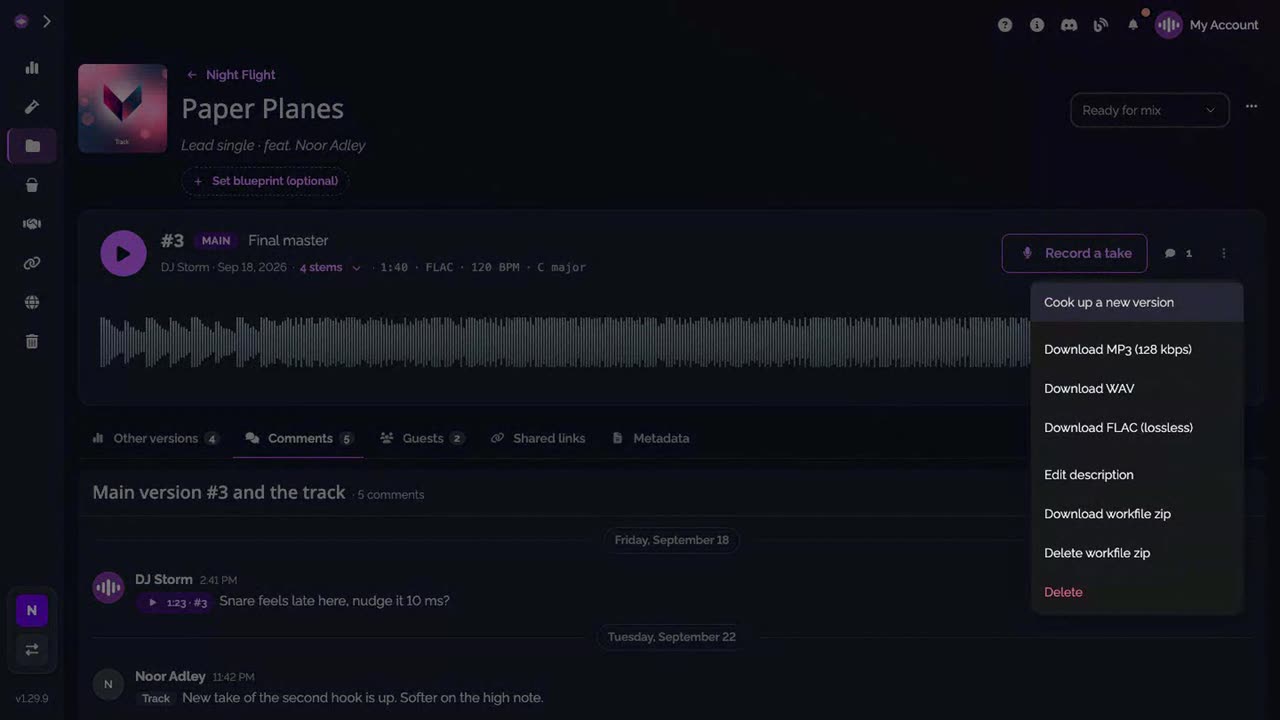
-
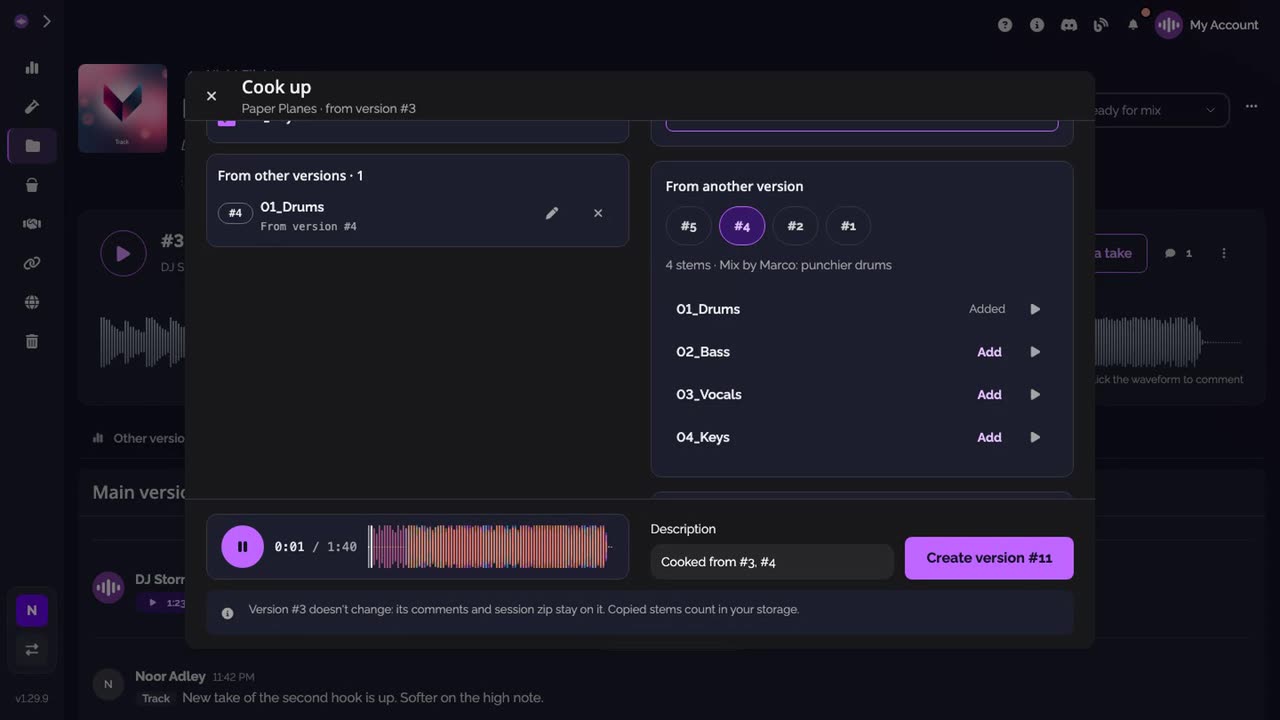
Keep or leave out its stems. The cook-up lists the stems of that version, all ticked. Untick the ones to leave out.
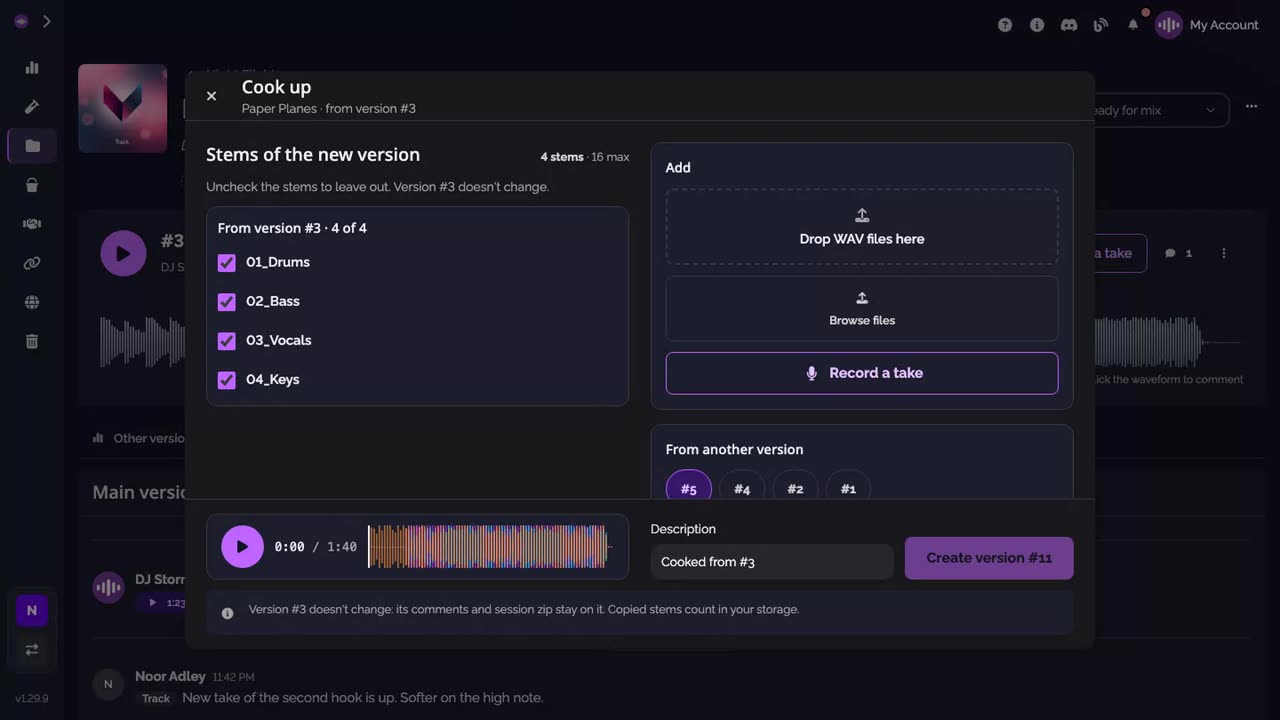
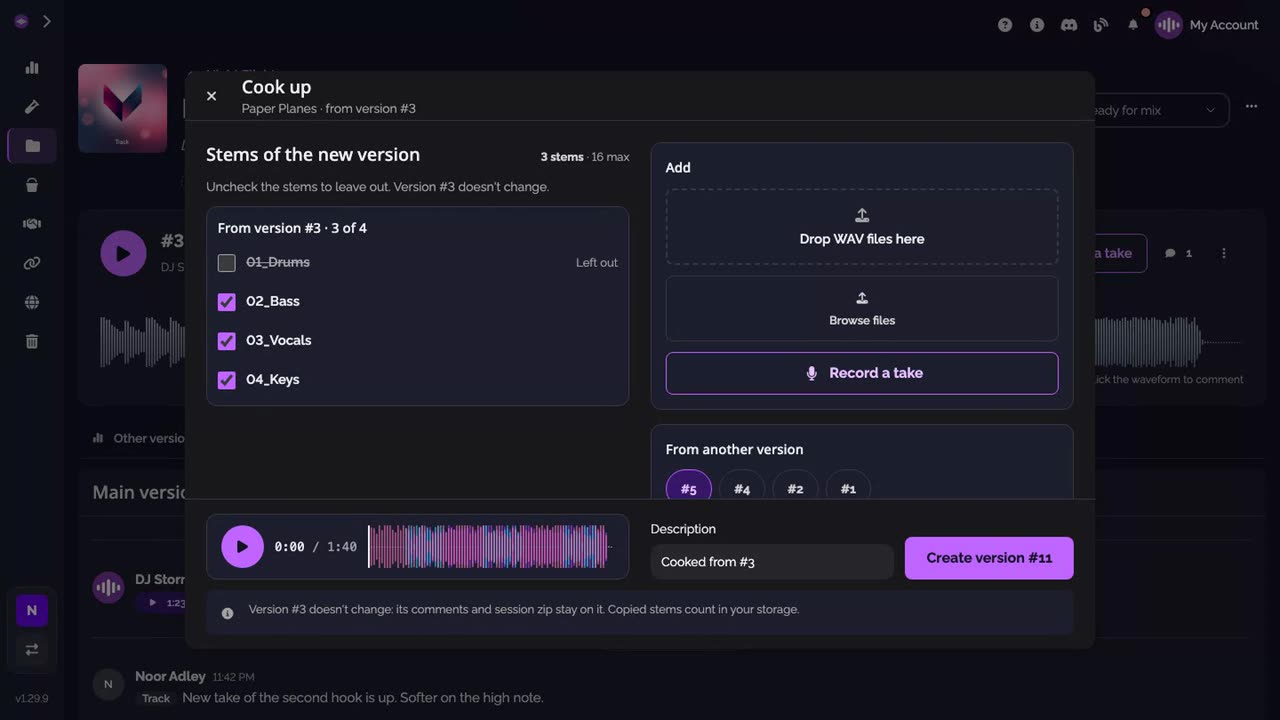
-
Add stems from another version. Under From another version, pick a version and click Add next to the stems you want. You can also drop WAV files, Browse files or Record a take.
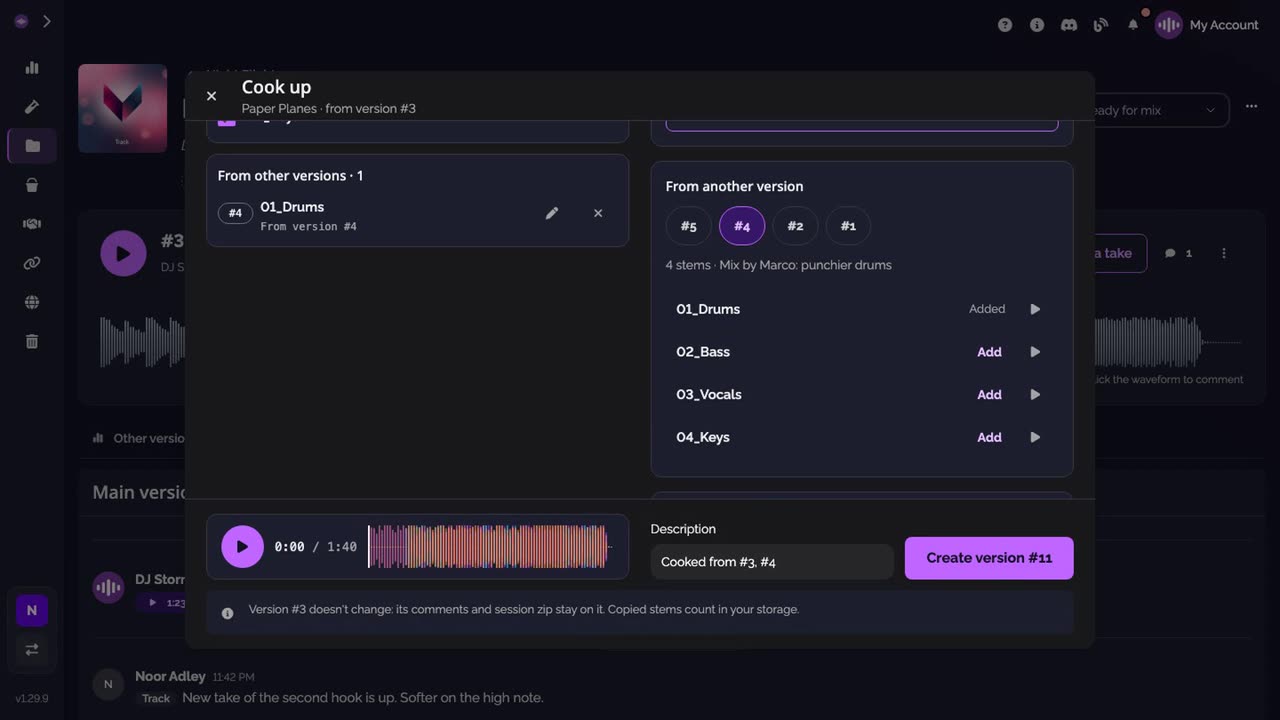
-
Listen and create. Play the new version to hear the stems together. Its description says where it comes from; change it if you like, then click Create version.
-
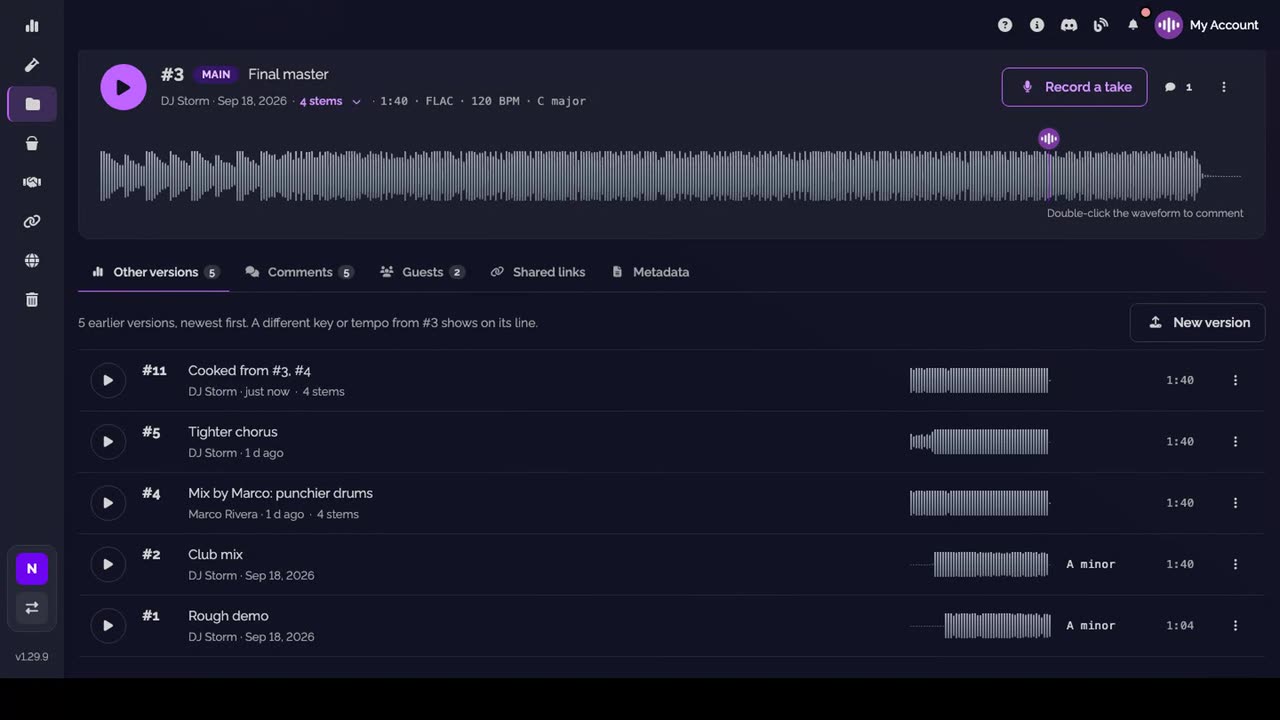
The new version is there. It is listed under Other versions, with the stems you chose.
Good to know
- A stem taken from another version or a file you add can be renamed in place (✎). Two stems can't have the same name.
- Each stem of another version can be heard alone with ▶ before you add it.
- On a phone, the cook-up takes the whole screen, in two steps: compose, then listen and create.
Transcript
Here's how to cook up a new version from the stems you already have, right in your browser. On a version, open its menu and click Cook up a new version. Its stems are all ticked. Untick the ones to leave out. Under From another version, pick a version and add one of its stems. You can drop a WAV or record a take here too. Play the new mix to check it. The description says where it comes from. Click Create version. The version you started from doesn't change. Your new version is there, made of the stems you chose.
FAQ
Does the cook-up change the version I start from?
No. The new version gets its own copies of the stems. The version you start from keeps its stems, its comments and its session zip.
How do I replace one stem with another?
Untick the stem to leave it out, then add its replacement, a WAV from your computer, a take or a stem of another version, in the same cook-up.
Which files can I add?
WAV files only. On a computer you can also drop them on the window.
How many stems can a version have?
From 1 to 16. At 16, leave a stem out to add another.
Does a cooked-up version use storage?
Yes. The stems it copies count in your storage like any upload.
Who can cook up a version?
Anyone who can add versions to the track, members of the workspace whatever their role, and the guests invited on it.