Send an instrumental to a rapper and get the vocal back
Your instrumental is a track in SoundisiaK Studio. Invite the rapper on that track only: from their phone, they record their verse over it, and keep the take. It comes back as a new version of your track, your instrumental plus their vocal, with their name on it. No file to send back and forth, no voice memo to line up.
What you need
Any plan, the Free plan included · owner or admin of the workspace · the rapper's email
Steps
-
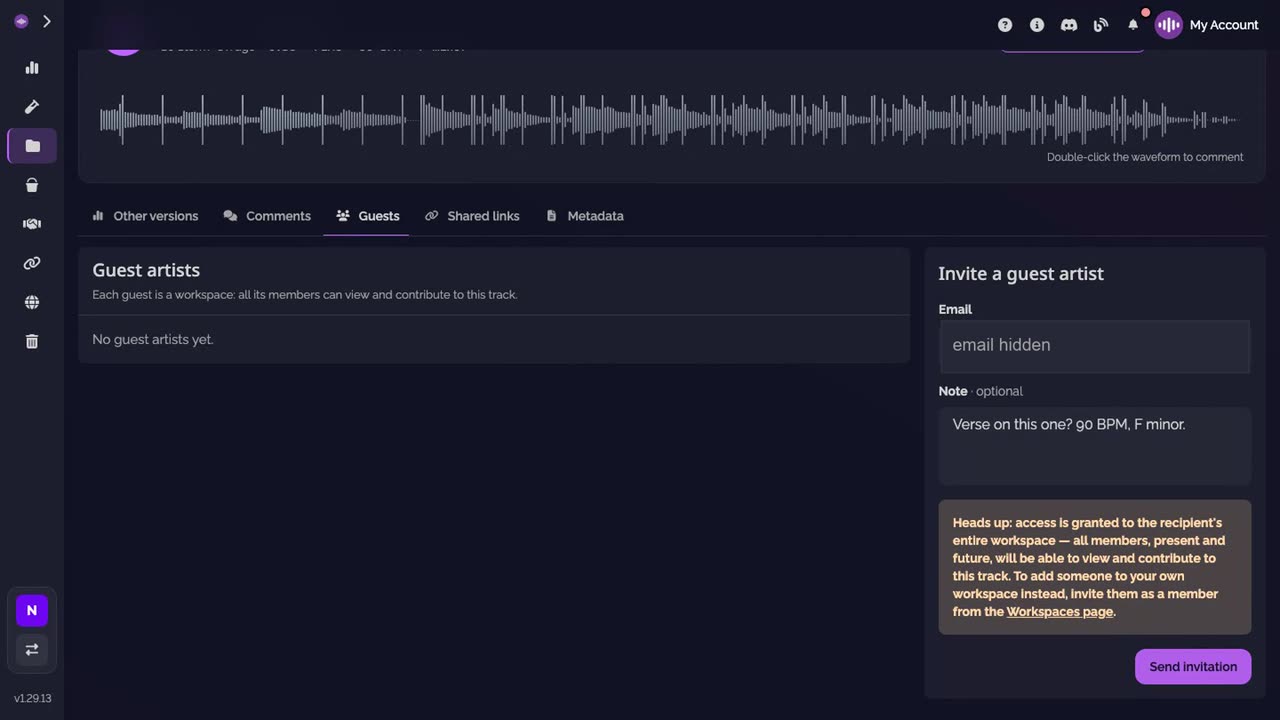
Invite the rapper on the track. On the track of your instrumental, open Guests. Type the rapper's email, add a note if you like, and click Send invitation.
-
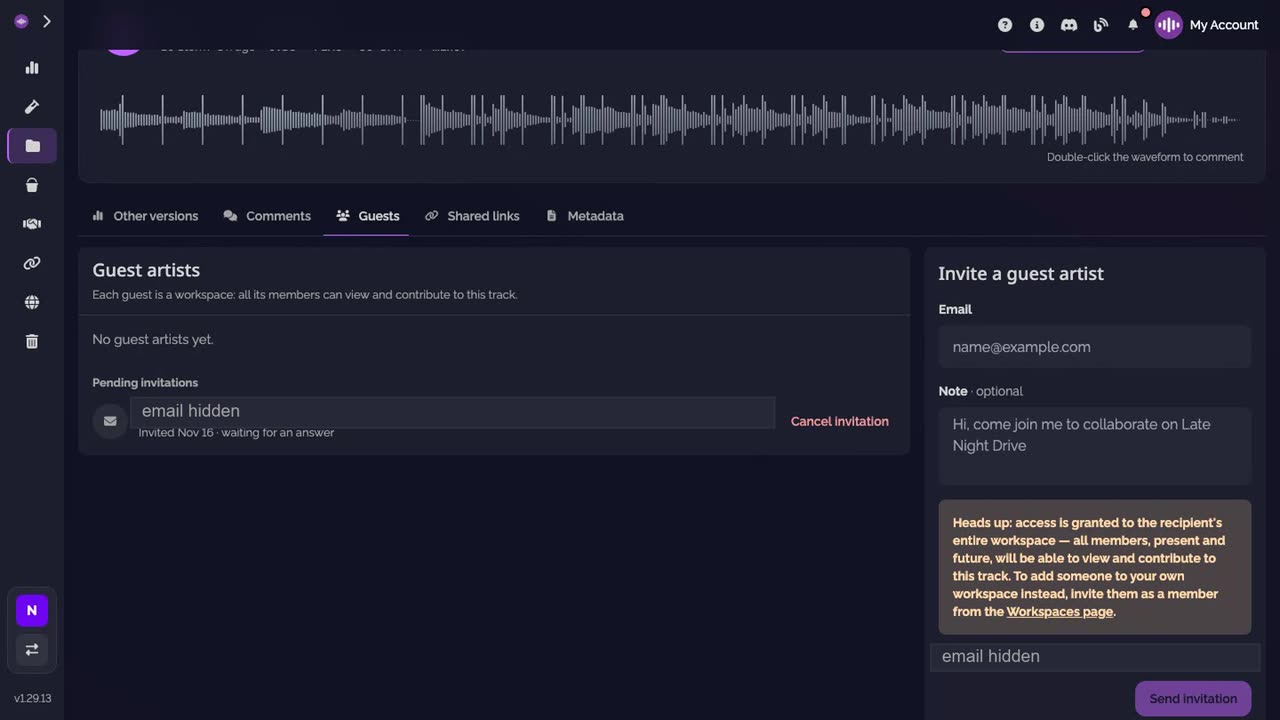
Wait for them to accept. The invitation is listed under Pending invitations until they accept it with their account. Their workspace then gets this track, and nothing else of yours.
-
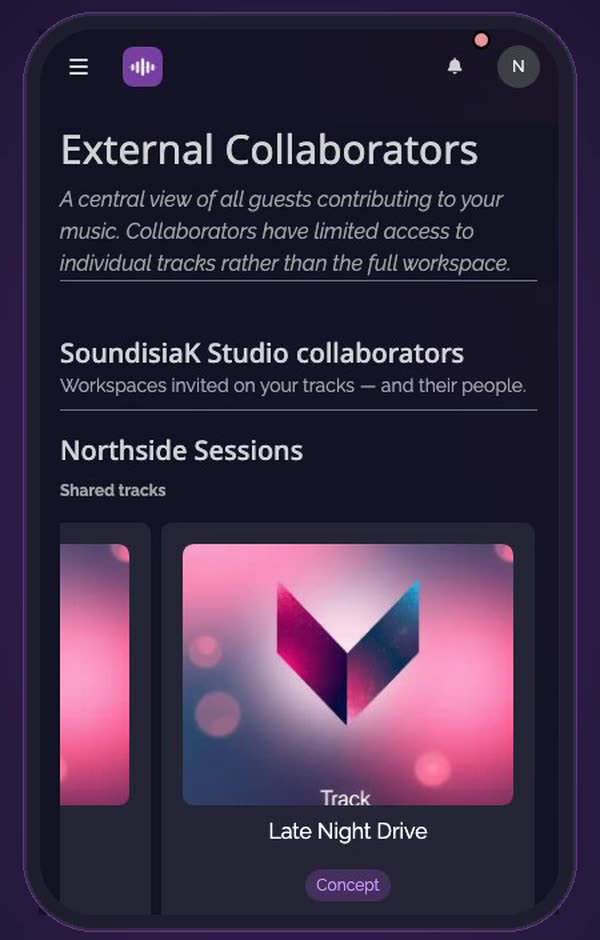
They open the track on their phone. Under External Collaborators, your workspace is listed with the tracks it shares with them. They tap yours.
-
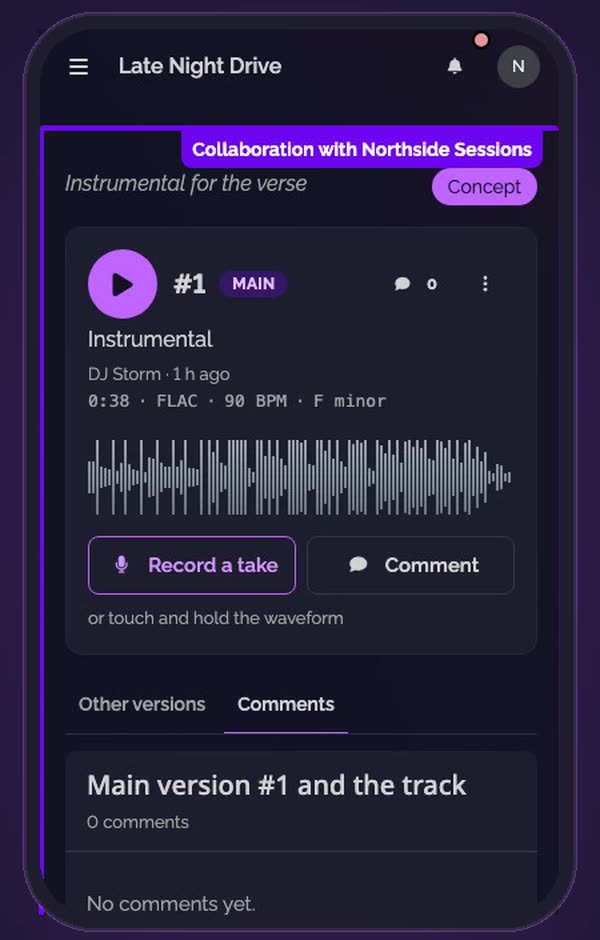
They tap Record a take. The track opens with a frame that says whose it is, and Record a take under its main version.
-
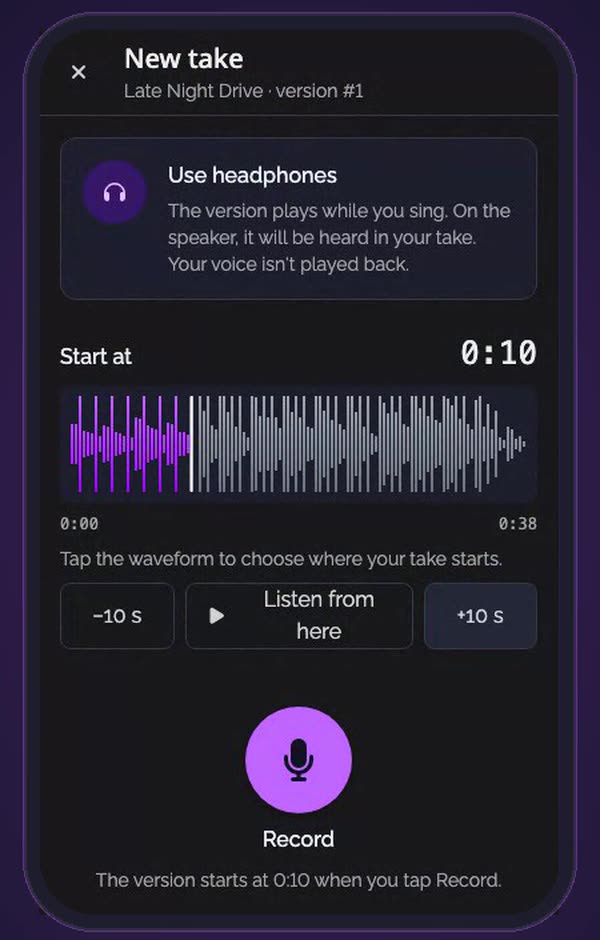
They start where the verse goes. With headphones on, they set Start at with +10 s or a tap on the waveform, then tap Record.
-
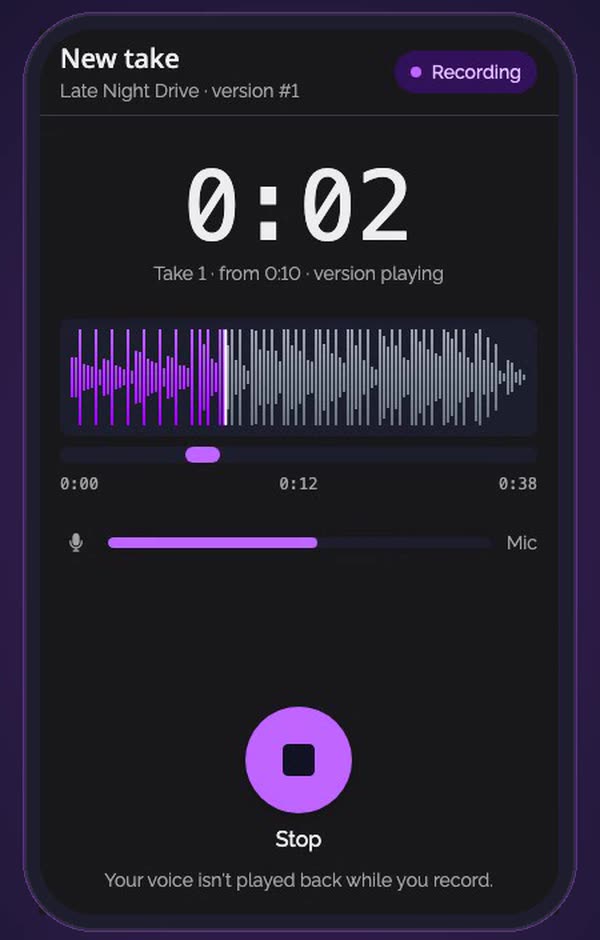
They rap over your instrumental. The instrumental plays while they record. They tap Stop when the verse is done, and can play the take back over it.
-
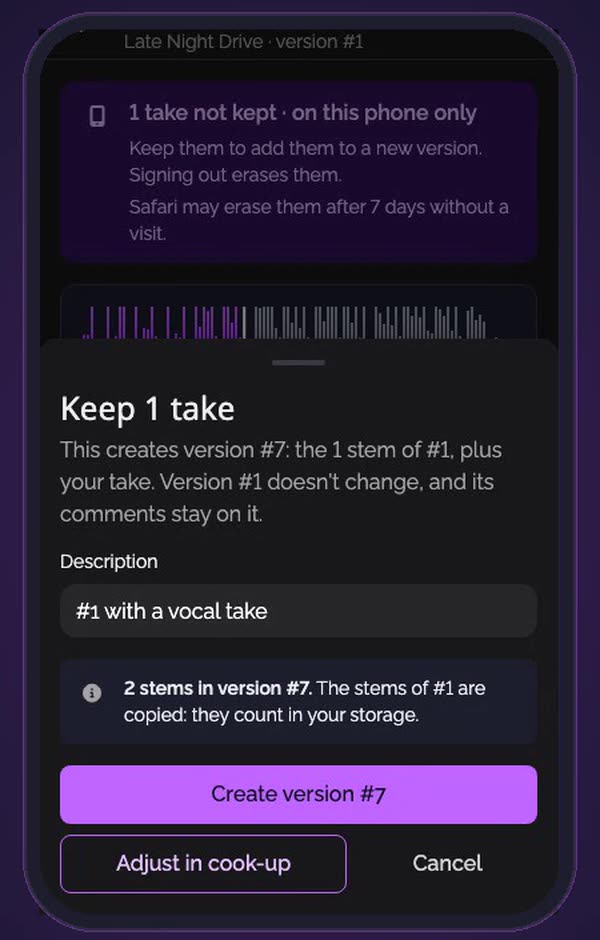
They keep the take. Keep the take, then Create version: a new version with the stems of your instrumental plus their vocal. Your version doesn't change.
-
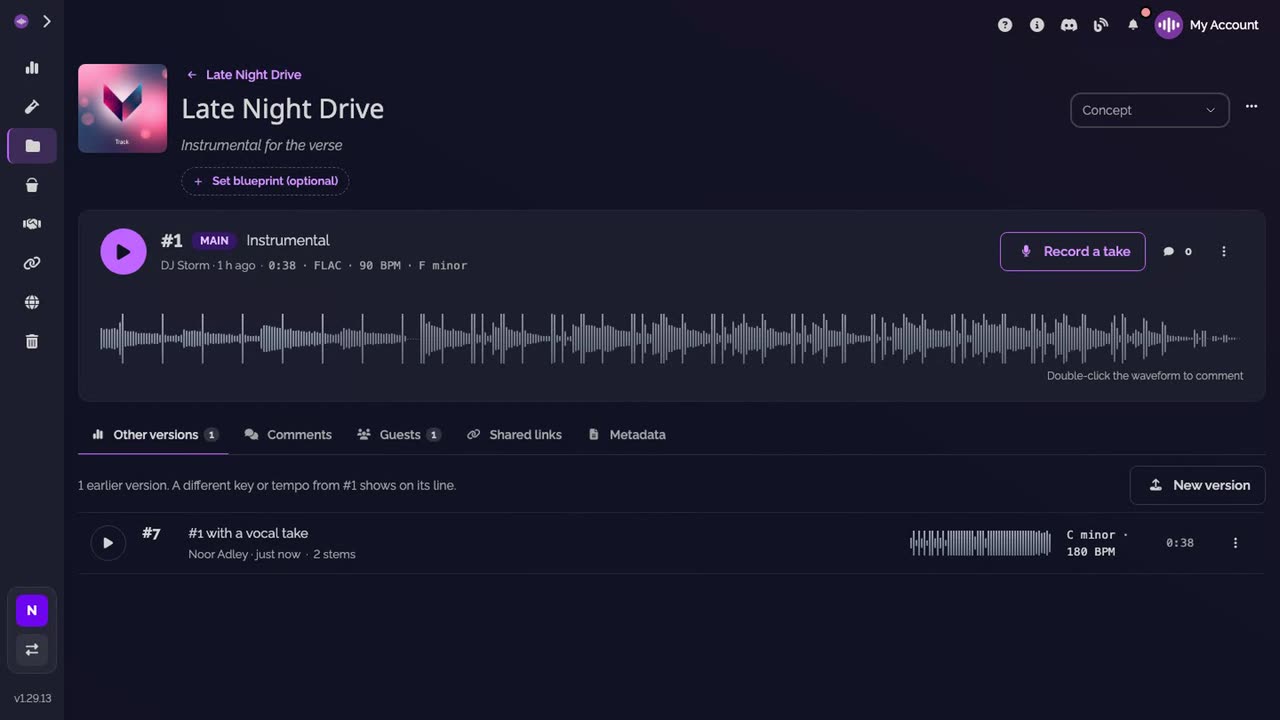
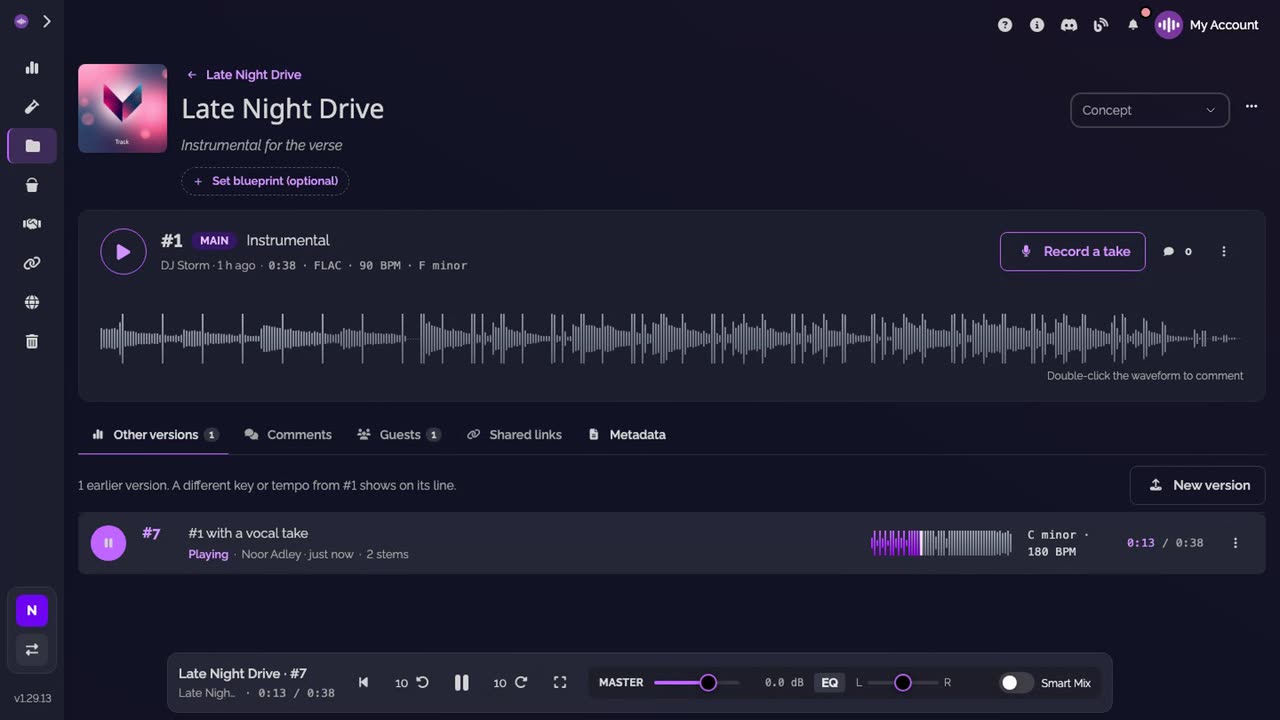
Their vocal, on your track. On your side, it is listed under Other versions, with their name.
-
Press play. Your instrumental and their verse, together, on the same track.
Good to know
- Set your instrumental as the main version before you invite: the rapper's versions then stay under Other versions until you choose one.
- Takes they haven't kept stay on their phone only, until they keep them.
- To write the verse first, with the instrumental playing beside the words, see Write your verse over the instrumental.
Transcript
Here's how to send your instrumental to a rapper, and get their vocal back on your track. On your track, open Guests. And invite the rapper by email. They get this track only, nothing else of your workspace. On their phone, the rapper finds it under External Collaborators. They tap Record a take, start where the verse goes, and rap over your instrumental. Then they keep it. It becomes a new version, your instrumental plus their vocal. On your side, it's under Other versions, with their name. Press play. Your instrumental and their verse, on the same track.
FAQ
Does the rapper need a paid plan?
No. A free account is enough. Guests on a track are free and unlimited on every plan, the Free plan included.
Do they need headphones?
Yes. The instrumental plays while they record, and on the speakers it would be heard in their take.
Can they record on a computer?
Yes. Record a take works the same way on a computer, in a window instead of full screen.
Does their version replace my instrumental as the main version?
Not once you have set a main version. Theirs waits under Other versions until you choose it. On a track where no main version was ever set, the newest version shows as the main one, theirs included, so set your instrumental as the main version first.
Can they see my other tracks?
No. Their workspace gets the tracks you invite them on, and nothing else of yours.
Can they send a vocal they recorded elsewhere?
Yes. Under Other versions, they click New version and upload their stems.