Record a take over a version, on your phone or your computer
Lay a voice or an instrument over the current mix, straight from your browser, on a computer or a phone. The version plays while you record. You play the take back over the stems, nudge its sync, and keep it: it becomes a new version, with every stem of the one you recorded over plus your take.
What you need
Any plan · headphones and a microphone · member of the workspace or guest on the track
Steps
-
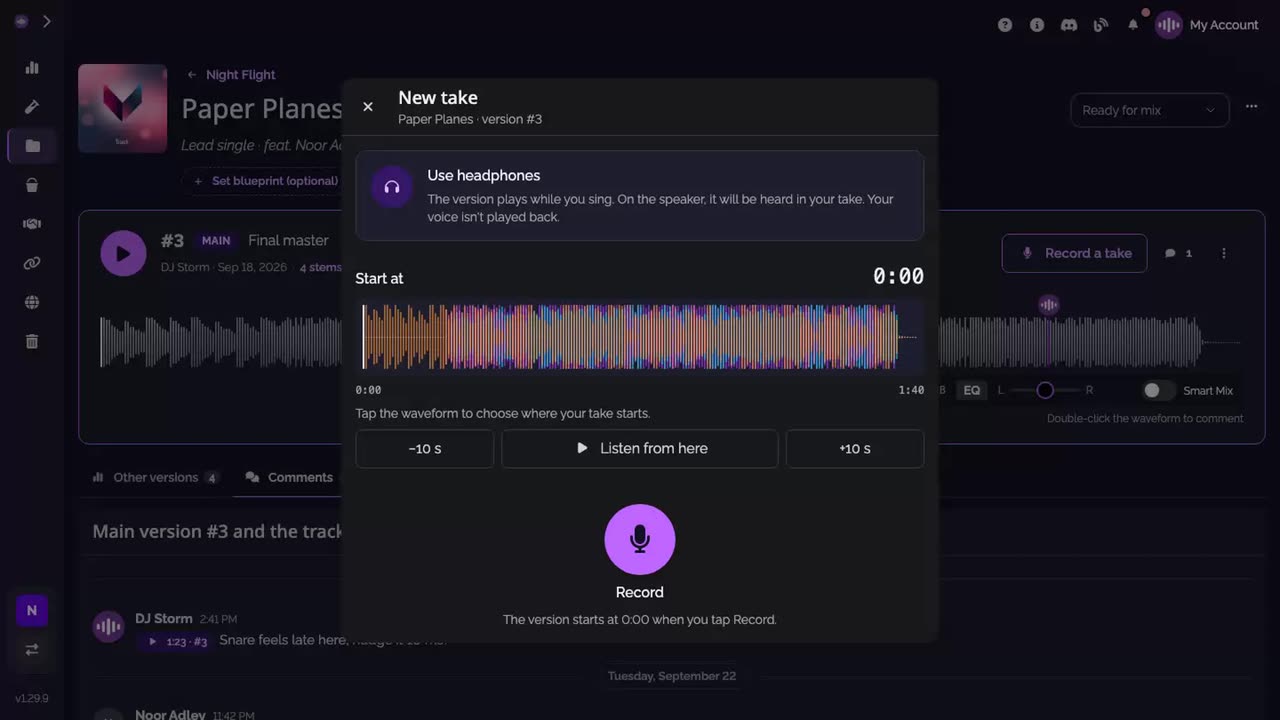
Open a new take. Under the main version, click Record a take. The New take window opens: put on your headphones and, if you like, tap the waveform to choose where the take starts.
-
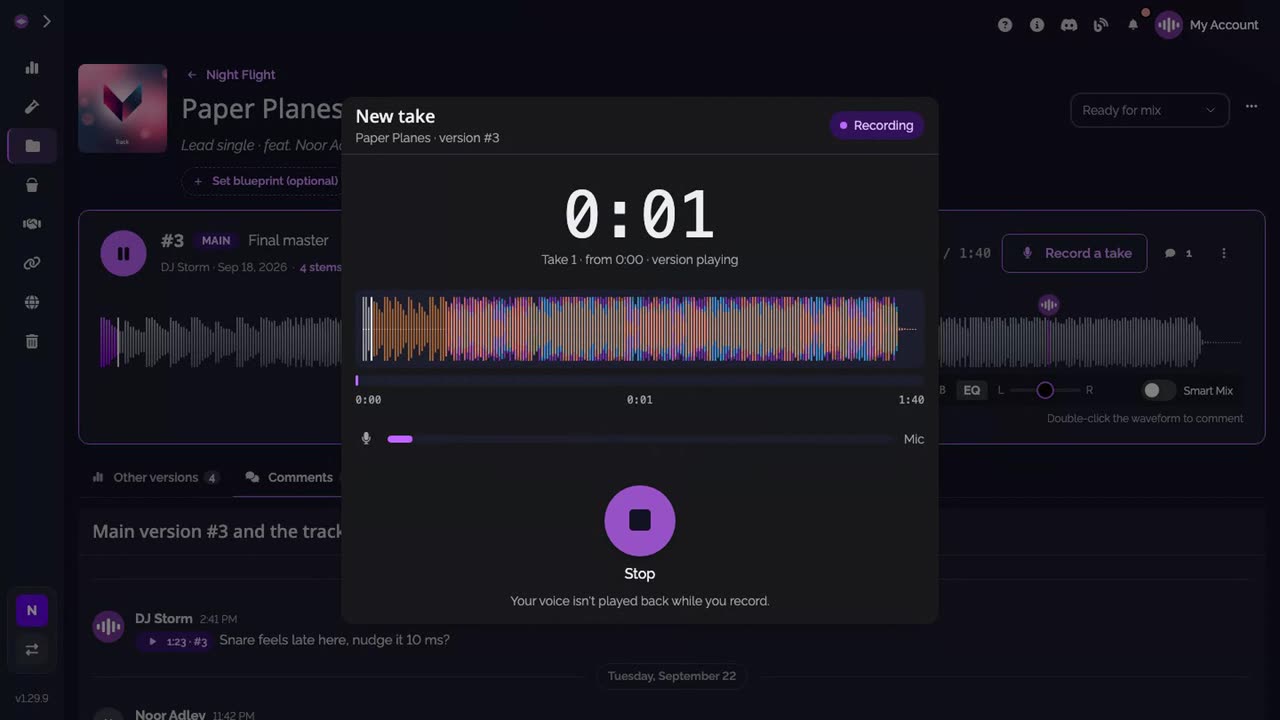
Record. Click Record. The version plays while you sing or play over it; click Stop when you're done. The take stays on this device until you keep it.
-
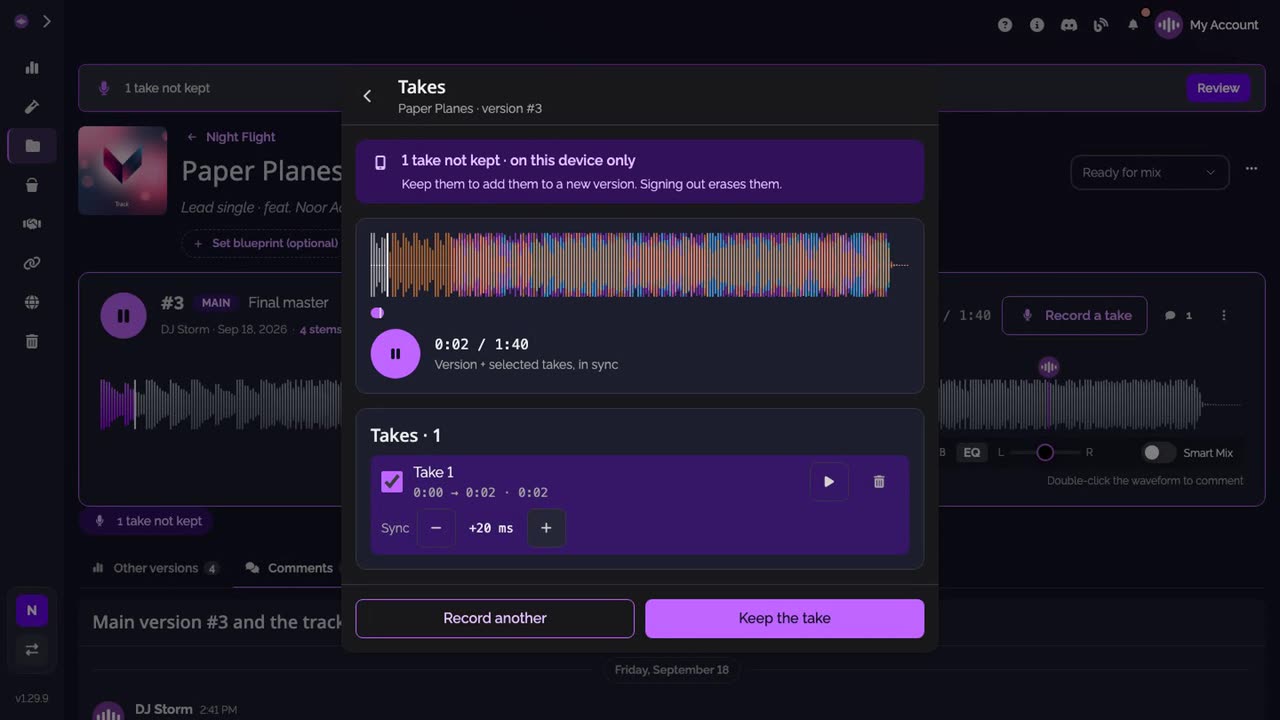
Listen back and sync. Play the version and your take together. If the take sits a little early or late, nudge Sync, 10 ms at a time. Record another if you want, and tick the takes to keep.
-
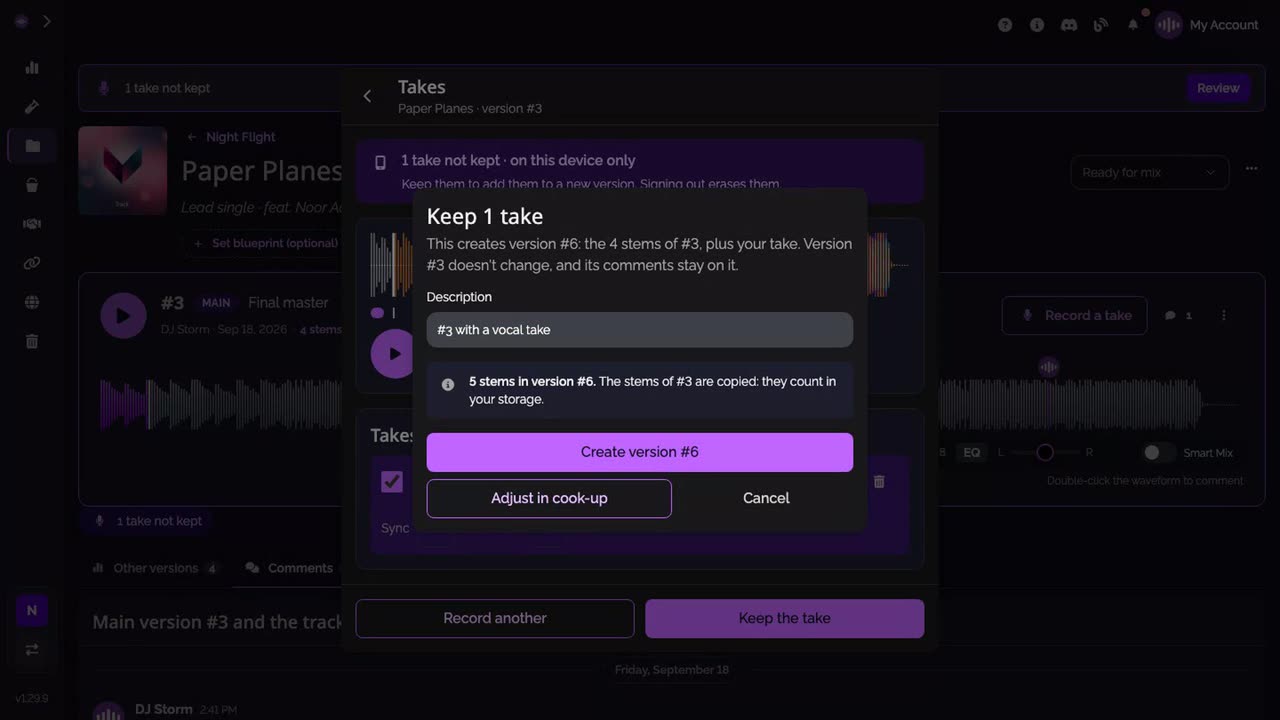
Keep it as a new version. Click Keep the take, check the description, then click Create version. The new version holds every stem of the one you recorded over, plus your take.
-
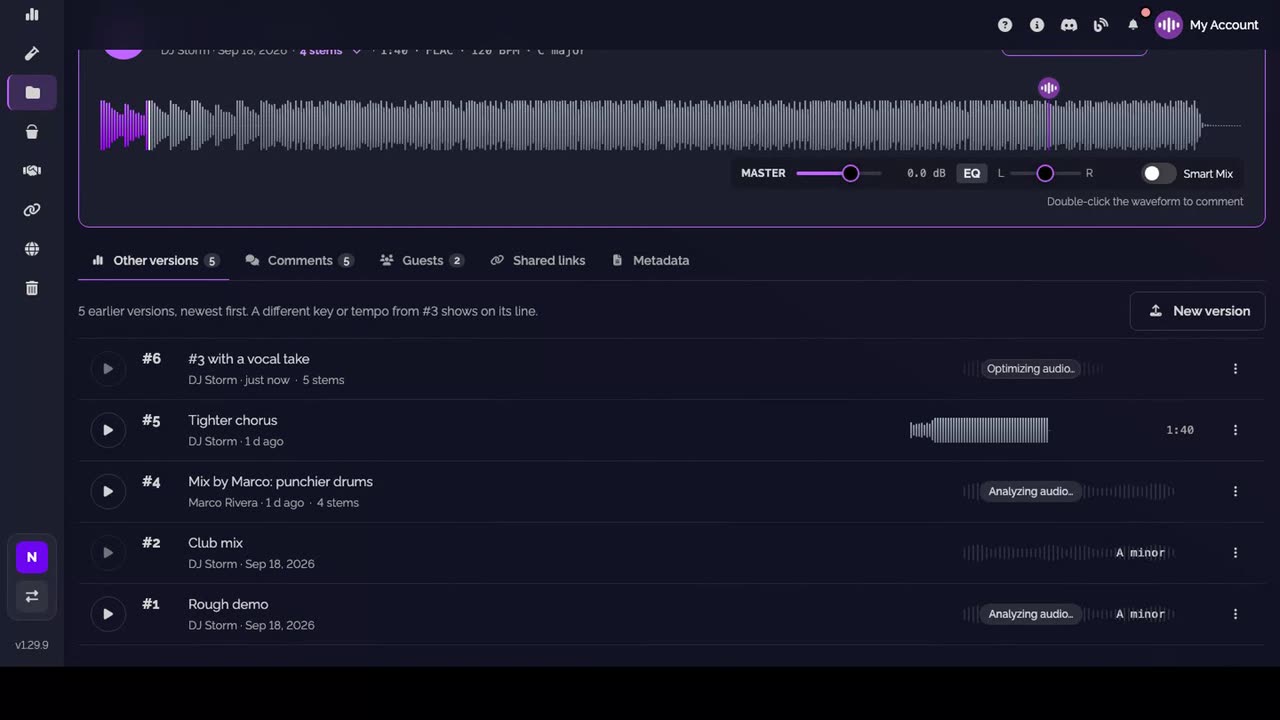
The new version is there. It is listed under Other versions, with its stems and your take.
Good to know
- On a phone, the same window opens full screen.
- Adjust in cook-up, next to Create version, opens the cook-up with your takes in it: leave out a stem or add one from another version before you create it.
- A take is kept as a mono WAV from the start of the version, so its silence counts in your storage like any stem.
- Takes not kept are listed under the top bar on every page: click Review to come back to them.
Transcript
Here's how to record a take over a version, from your computer or your phone. On the main version, click Record a take. Press Record. The version plays while you sing or play over it. Stop when you're done. The take stays on this device until you keep it. Play it back over the stems. If it sits a little early or late, nudge Sync. Happy with it? Keep the take. It becomes a new version: every stem of this one, plus your take. On a phone, it works the same way, full screen.
FAQ
Do I need headphones?
Yes. The version plays while you record, and on the speakers it would be heard in your take.
Where is my take before I keep it?
On this device only. Nothing is sent until you keep it, and a take not kept stays in this browser even if you close the window. Signing out erases the takes not kept, after a warning that lists them.
Does keeping a take change the version I recorded over?
No. Keeping creates a new version with every stem of that one plus your take. The version you recorded over doesn't change, and its comments stay on it.
Who can record a take?
Anyone who can add versions to the track, members of the workspace whatever their role, and the guests invited on it.
How many takes can I keep?
A version holds 16 stems at most, takes included. Over a version of 4 stems, you can keep up to 12 takes.